November is Coming


Have you got 50,000 words in you?

You might say you don’t. Personally, I’m inclined to disagree, and I’m sure those committed to undertake NaNoWriMo for another year might be on my side of the fence.

Yes, it’s that time of year again, and here I am with another post about National Novel Writing Month. Although not participating this year, having managed some twelve months ago to come up with a 55,000 word tale I was fairly proud of (albeit a little less so upon re-reading), it seemed timely as we near the end of October to share a few thoughts on some of the things that helped me stumble across the line in 2014.

I offer these observations clearly not as a seasoned novelist, with a bio inclusive of numerous published works, but perhaps like some of you. Someone who thought: ”you know, I think I might be able to do that… but that’s over 1600 words a day for a month… but… ohh… gee… maybe I can’t — no, damn it, I actually think I can. Wait… I’m really not sure… ahhhhh!

That of course, is exactly my point.

Although every seasoned novelist started somewhere (perhaps even with NaNoWriMo), it can sometimes be a little difficult to conceptualise expert tips and tricks into your own situation, as valid and well-tested as they are.

So, after reading two posts recently containing such tips from a professional author, I will endeavour to pass on some advice of my own, in the hope they might assist in some way to lead you headlong into NaNoWriMo greatness.

The Expert

I have previously mentioned author David Hewson and his book Writing a Novel With Ulysses. The book itself is about creative writing using text editor Ulysses for Mac and iPad, in which I wrote my 55k words in last November (the Mac app at least, with the iPad version coming later from developer The Soulmen).

Ok, to get this out of the way. Firstly, Ulysses. I absolutely love it, and use it for every piece of writing I do for this blog. The above guide by Hewson provides fantastic advice guiding the efficient use of Ulysses in a fairly large writing project (certainly larger than anything I had attempted at the time). While there are cheaper word processor/text editors out there (at the time of writing: $AU69.99 on the Mac app store; $AU30.99 on the iOS app store), Ulysses worked for me and I have not looked back.

ulysses_nano

Image courtesy Ulysses

Ulysses currently has a free trial running through to December 7 for the brave souls who may want to embark on NanoWriMo with it, and there is no better time to give it a run – NaNo or not. I remember thinking to myself half way through the free trial last November, if I manage to finish this damn thing and get to 50,000 words — I’m going to reward myself and buy this app. Just a thought.

Now, remember the three paragraphs immediately above when we come to the tip “the tools don’t matter”. Let’s get to it.

The tips

I’d encourage you to read the two posts by Mr Hewson, which I found myself nodding along with as I read, and if you’ve done any writing yourself you will probably do the same:

8 Tips for Writing a Novel this November – The NaNoWriMo Blog

Five ways to help you finish that book – Medium: David Hewson

However the stimulus for this post comes because, as well as reading and nodding, I also found myself thinking: yes I’d agree with that, however as a complete amateur, I’d also add…

So here I am… ”also adding”, to a small few of the thirteen tips contained in those original posts.

(Unless stated otherwise, quoted text is from either of the two posts linked above)

On considering your book as a journey

Hewson points out:

Yes, it’s a story with a beginning, middle, and end. But it’s also a journey, from life to death, ignorance to knowledge, love to hate or vice versa.

and:

When you think of a book as a journey you then realise you need waypoints, movement, progress.

Of course a lot more detail and a good example of the above can be seen in the 8 Tips post, we see how an “inciting incident” and a further seven or eight scenes might provide 10,000 words.

To that I say boom! You’re a fifth of the way there! Well, perhaps not, although I do agree that a journey with a few stops along the way is a great way to look at it. Further, once you get rolling, it can be surprising how quickly the words tally up.

On sticking with the right tools

Here I’d add, this is really only going to work with the right tool(s) for you. I don’t necessarily mean Ulysses, Scrivener (also a 30 day free trial available), Byword, or heaven forbid even Word. It might be anything.

I get it — the tools matter, but not as much as the words.

However, remember you will need to be writing — a lot, over the course of November. Where will that writing take place? Will it be one place? Your desk? Many different places? Set yourself up to work whenever and wherever you can.

Are you going to need a companion iOS or Android app, or at least something that can access your Dropbox, iCloud or Google Drive easily and efficiently — and more importantly do so reliably? Or perhaps you will be writing on the one device you can take anywhere with you.

I think a some planning here might make things just a little less stressful if you are well set up to pick up your story just about anywhere you are.

However, if things aren’t quite working in the first few days and you do have an epiphany about changing something that will see things work far more effectively — I say go for it. Within the first few days my iOS solutions were not quite where I needed them, and a little tweaking of apps and syncing worked a treat.

So, tweak a little if needed, but please, have back ups and just don’t keep tweaking.

On time management

Manage your time effectively — you won’t have as much as you want or need. Keep the book alive by making notes … when you have spare moments.

Of course in relation to the previous point about the right tools — it is great to be able to work anywhere, but you most likely won’t be able to work everywhere. When you are not specifically writing is often when the best ideas come to you. Notebooks, a sheet of paper, a phone — all perfect tools for that killer scene, idea, or great line from one of the main characters. Anything you’d really prefer not to forget.

One of the main benefits in taking notes one my iPhone is the ability to send text to whatever digital tool you might be doing your writing in (assuming it is digital — I acknowledge some brave souls do this with pen and paper in longhand). I found this useful on a couple of occasions where a note became several hundred words, and it was far more efficient to drop them into the story than rewrite from handwritten notes.

Whatever you use here doesn’t matter. Just get those thoughts down.

While we’re talking about managing your time effectively, I would also add a comment about the lead in to the November 1 kickoff. Only making the final decision to participate in last years event a couple of days before it commenced, left a less than ideal lead in as far as planning and organisation are concerned. I had the bare bones of a plot outline in my head, however my point is, even if you are feeling rather less than prepared — it can be done. The rest of my planning and organisation came along as the story progressed.

When in doubt and the calendar clicks over to November 1 — just get going and let your characters take you at least the first part of the way. Now is a good time to glance at your calendar though — see that? There are still a few good planning days left before this mayhem begins.

On writing your way out of it

Mr Hewson sir, if only I had enough talent to write my way into it in the first place!

But here’s the hard truth: the most dangerous place any writer can find him or herself is the moment you think, ‘I can find out what I want to write by writing it.’

All right then — point taken. I guess the last thing you want to do is waste a few thousand words on a scene which takes you in entirely the wrong direction. Perhaps something to remember from our expert about taking a break to reassess:

Writing’s also sitting in a bar with a beer daydreaming about the book

Is it? Is it really? Of course it is — remember what we said about when those great ideas are going to come to you?

Probably wise words indeed. Just don’t make that the thicker end of the writing wedge — sit in that bar for too long and those ideas eventually will make no sense at all. Might I suggest a calming single malt could be an even better way to go about it, however I restate one of the original points — the tools don’t matter!

Back on track with my two cents here: Resist the urge to rewrite at all costs! Mostly. Absolutely, stop, think and perhaps head in another direction — but do anything you can to avoid rewriting too much as you go along.

Just remember — this is NaNoWriMo, and if it is your first, perhaps this is also your first full draft. You will likely write more words in the coming month than perhaps you’ve written in the past twelve — maybe longer. You just don’t have the time to make this perfect. This is not putting the finishing touches to your life’s work. It is not your masterpiece — not yet.

In the words of six-time participant/three-time winner Katie Maguire on her blog I Have Things to Say:

First drafts are shit

And there it is. The honest truth. If you’ll pardon me repeating that, my first draft is sitting in a draw with a couple of initial annotations made, and is still, well… shit (apologies again, I’m done with the language — it’s just that sometimes there is only one way to describe something, particularly if that is also the very word I said aloud upon first reading back over my draft).

If you get part, half or just about all the way through and begin to think: you know, this probably really isn’t that great. Guess what? Probably half of the other millions of WriMos are thinking the exact same thing. Others might be lying to themselves, and still others might (after many revisions) get published, however as the month goes on, everyone’s eyes are on the same prize — that 50k finish line.

Just. Keep. Going. Get it done.

On simple being better

Written in bold, with the suggestion to print out and keep, Hewson gives us the following:

Simplicity is always harder than complexity.

The point here is simple. A story told in a simple, straightforward way is far easier to understand than something overly complex simply for complexity’s sake. How to recognise it? Try this example:

You’ve just decided part way through this is actually a two-era story, part of which will take place in the modern day and the rest in Regency England featuring a mirror cast.

Thank you Mr Hewson, with that laugh out loud example above, we are just about done.

I would add here that the same rules apply to individual scenes or pieces of dialogue from your beloved characters. That said, sometimes you just need complex. An example? I give you, that classic piece of cinematography, Wayne’s World, where one of our heroes, Garth Algar hatches the “simplest” of plans:

OK… First I’ll access the secret military spy satellite that’s in a geosynchronous orbit over the Midwest. Then, I’ll ID the limo by the vanity plate “MR. BIGGG” and get his approximate position. Then, I’ll reposition the transmitter dish on the remote truck to 17.32 degrees east, hit WESTAR 4 over the Atlantic, bounce the signal down into the Azores, up to COMSAT 6, beam it back to SATCOM 2 transmitter number 137, and down on the dish on the back of Mr. Big’s limo… It’s almost too easy.

Complexity, when used for effect, can be quite powerful, however unless you have a real knack for clarity, it can certainly weigh things down over time.

My advice? Just write it as you’d think it or say it. Speak the scene out loud — even just in your head. Simple just works, and is an efficient way to plough on with the story. It also makes the whole thing much more readable for those who might eventually be on the other side of this situation. That’s right — your readers.

In conclusion

Truth be told, I’ve probably written almost as many words about NaNoWriMo as I’ve written in it. Who knows, last year may have been my one and only shot. If so, I am happy with how it turned out, and is something I would recommend to anyone considering having a go. It is indeed an exhilarating ride.

If that is you, then I hope some of what I’ve written here might help a little, or a lot. Perhaps it won’t help at all, and you’ll get “stuck in” and come out a winner in precisely your own way. In all honesty it will likely be the latter, given how different we all are, which is of course the best part of it. I’ll look forward to hearing how you went, what you found most useful, and if you don’t mind, perhaps use a few of your tips next time I find myself knee-deep in words one November.

So, November is indeed coming, and so is a flurry of words. Good luck with that word count, have fun, and be sure to raise your arms when you pass the 50,000.

I’ll certainly be cheering for you.


Writing With Ulysses

In recent weeks there has been a good deal of discussion around the release of the updated Mac version of this writing app from developer The Soulmen, which also coincided with the release of an iPad version to go with it.

Ulysses-Mac-128x128

Ulysses – Mac

As I have written about previously, I am a recent convert to the Mac app, and earlier this year began using the iPad beta version prior to the full release (affording little value to the developer during the bata period mind you). What follows should be taken as it is intended, simply a few thoughts on how I find both the Mac and iPad applications (certainly not an exhaustive review), and why I enjoy writing with them — from a somewhat less than power user of both.

Ulysses-iOS-120x120

Ulysses – iPad

It is certainly not to sell you on Ulysses – after all, writing is writing — a keyboard and (hopefully) output. There are many other apps out there which may suit your particular needs far better than this one, and I suspect those who are entrenched in something like Scrivener might read these words and be quite happy they already have everything covered. Of course if that is the case there remains the iPad to consider, depending on where your writing occurs.

Other writing apps

A point to note here is that I have been an avid iOS user for around three and a half to four years now (both iPad and iPhone), and a Mac user for two, during which time, most of my writing has occurred in Byword on both the iPad and Mac. Over time I moved to Editorial on my iPad mini, although continued with Byword on the Mac, syncing both through Dropbox.

Although I do have the iPhone versions of both Byword and Editorial, I have never really taken to longer form writing on my phone,  preferring the iPad — and more often than not an external keyboard, which remains the case today.

I find much of Editorial’s more powerful workflows remain under utilised in my writing, and although Editorial continued to serve my iPad writing needs well until the release of the Ulysses iPad beta earlier this year, since that time I have not ventured outside Ulysses for writing on either platform.

Why Ulysses?

In all honesty — no particular reason in the first instance. Going backwards and forwards in my mind last October as to whether I would embark on NaNoWriMo, I came across the offer of a free 30 day Ulysses trial (available for the Mac through the developer’s website). The promise of regular email follow-up as part of the NaNoWriMo group of Ulysses users along with an extract of (the recently updated) David Hewson’s: Writing a Novel With Ulysses eBook.

I think at that point in time, having finally committed myself to the 50,000 word challenge I was looking for all the help I could get! Upon thinking more about this — credit where credit is due to Ulysses here. Had the app imposed more friction to set up, write in, and generally manage over that month, I would most likely have exported what I had written to another app and never looked back.

Retrospectively, undertaking my first NaNoWriMo and learning the features of a new app at the same time was probably not the smartest decision, however it certainly paid off this time. So as you can see, I came across Ulysses through the lure of the free trial and “extras” — am I really so shallow? Evidently yes.

My particular uses

Here we find I again under utilise the power of Ulysses and its potential as — particularly a longer form — writing app. Looking back, to date my use has consisted of the following:

  • my 55,000 word NaNoWriMo effort;
  • 5 months (31 posts) of blogging (approximately 3 months also using the Ulysses iPad app);
  • a few email drafts;
  • reviewing and commenting on some of my daughters’ high school essays

That is it — apart from the NaNo effort, utilising the “sheets” in Ulysses as book chapters – I largely use it as an app to write blog posts. It is here I see most of my future uses also occurring, however I do plan on tackling some longer form writing again in the future.

My favourite aspects and features

In no particular order, there are indeed some features of the app (on both iOS and OS X) which I use more heavily:

iCloud

I am all in with iCloud syncing in my current Ulysses set up. Having used the External Folders option with Dropbox syncing for my initial NaNoWriMo foray, I think iCloud suits Ulysses perfectly — particularly the file and folder structures, and now with both Mac and iPad options available.

It is certainly no crime to choose iCloud as the preferred method of syncing, however there have been a couple of misdemeanours on iClouds part (I believe) which unfortunately for the developer occurred around the same time as the Mac update and release of the full iPad version of the app. Although needing a restart of my iPad or Mac at varying times (no data loss — simply to trigger the sync), after this initial week or so it has been rock solid, and of course it is fantastic to have everything updated with no effort from myself when I next pick up writing — on whether device.

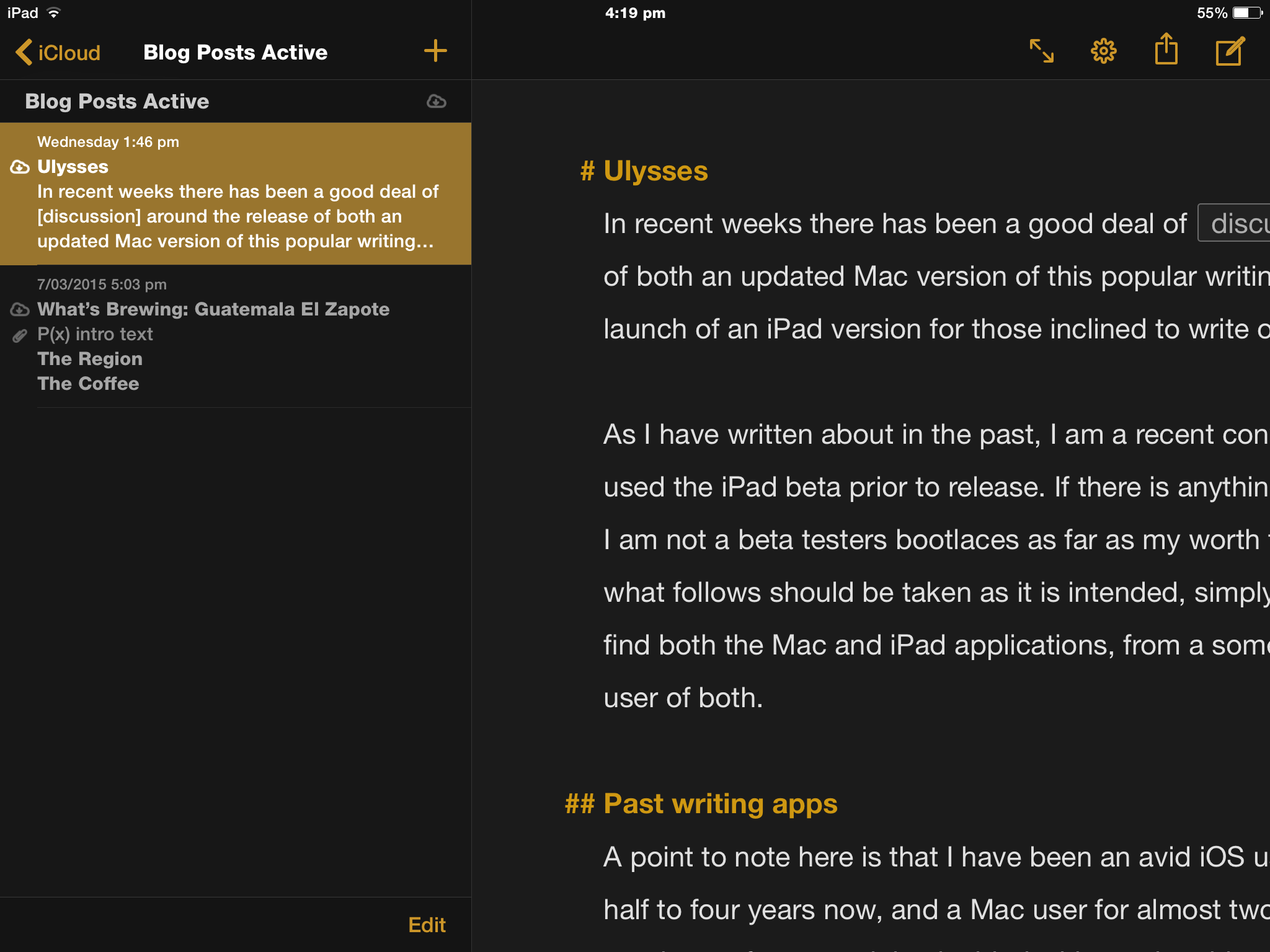
One particular feature I do love are the status indicators which appear on launching the app — on either platform, indicating iCloud is updating. There is nothing worse than opening an iCloud connected app, knowing a sync should be occurring, yet never really being sure it is — not until updated data suddenly appears.

IMG_0888

Two pane view on iPad with iCloud status indicators at left


All of my writing, templates, and planning are therefore kept in the iCloud folders within Ulysses. For those still perhaps a little wary who also use the iPad app, there is a nice use of the iOS Workflow App to semi automate a back up of these iCloud folders to Dropbox.


Three pane view on Mac - folder structure at left.

Three pane view on Mac – folder structure at left.

Add to the above one of the best laid out document history/version controls (Mac only), and you have the perfect way to recover or revise should the need arise.

Mac view of version screen - date scroll marker far right

Mac view of version screen – date scroll marker far right


Organisation

Whilst I am not obsessive about file organisation, I do like the fact my writing is kept nicely laid out within Ulysses itself, and easily accessible in the customisable three pane layout.

Pane one has my current folders contained within iCloud , and within each folder lie the “sheets” — viewable in the second pane, which, in my current way of working are the individual blog posts for example. Although currently absent from the folders after been exported upon completion — the first draft of my NaNoWriMo novel will soon return for revision. For the novel, each sheet was a chapter with keywords added, allowing filtering of specific sheets (or chapters as it were) to follow through a particular plot line relating to a particular character.

Overall, I think a useful analogy here is to consider the iCloud folders as the bookshelf; each project as a loose leaf binder; and the sheets as just that — individual sheets of paper able to be rearranged within the binder with the utmost ease.

Sheets can be duplicated (hence my use of templates), glued, split, merged, rearranged or opened in a new window — handy for referring back to previous chapters or drafts while writing the current one. Note at the current time these features are limited to duplicating and rearranging sheets on the iPad version. The third pane is the editor, where all of your writing occurs.

For my needs, everything is here.

The structure of these folders within iCloud does not place them within view in the iCloud Drive folders, as they are proprietary folders within Ulysses itself — perfect for my needs, and with the amount of export options available you can send and backup your files anywhere you wish, or use the Open In option should you wish to continue in another App. Personally I use this feature to proofread in Marked 2 when on the Mac.

A recent post on the Ulysses blog outlines a new Open Files feature, allowing any .txt or .md file to be opened in Ulysses and edited – with the output saved in the original file location on your Mac. Handy for those times where a full import of a file or files is not necessary.

Layout and style

Navigation pop up on Mac.

Navigation pop up on Mac.

I’ve touched on the layout a little above, and switching between views is as simple as the shortcuts CMD+1, 2 or 3 for three pane, two pane or editor only. Various other shortcuts are available, including CMD+9 for a Markdown cheat sheet, and CMD+4 for the Attachments bar — a key feature allowing images, notes, goals and keywords to the sheet — all which sync to the iPad version with ease.

On the iPad, panes are accessed or hidden by swiping left or right, with tapping in the editor pane bringing it into full view with the onscreen keyboard at the ready. There is also full support for external keyboards.

For longer form writing, another handy feature is the quick access to the Navigation pop-up with the shortcut CMD+8, providing a list of headings — all of which are clickable to jump to their location within the sheet.

There are endless tweaks possible through preferences to create “themes” for the overall colour layout, which can be shared or downloaded from the Ulysses style exchange. These are simple to download for use or duplication and further customisation. Dark mode or theme options are also an option from the menu or shortcuts — handy for my pre-dawn writing.

Style and theme options in preferences on Mac.

Style and theme options in preferences on Mac.

Although reducing Ulysses to the single Editor pane does provide the “distraction free experience” that seems to have been the buzzword with writing apps for some time now — for this purpose alone you will find it similar to other writing apps. Although viewing a blinking cursor and nothing else is available to you — this is not necessarily a point of difference to many other apps, though of course is an essential feature.

Writing

At the end of the day — ultimately all that matters is it not? Well, to me — yes and no. If it were all that mattered, I could be writing in the default TextEdit app, nvAlt, Byword (the list goes on) and the default Notes app or Byword on my iPad.

If I could try to sum things up — it is the power of what this app can do (and do simply and easily), combined with some nice touches and minimalism which combine to give the “Ulysses experience”. That is why I like it.

If we refer back to my particular uses for Ulysses mentioned above, they are fairly limited in scope, yet repeated often (the blog posts anyway). Lets look at what occurs here — text, links, bold, italic, and lists. Formatted in Markdown.

Markdown XL.

Markdown XL.

Also a point to note is Ulysses makes use of Markdown XL, which is where unique markup and other notations reside through comment blocks; comments and strikethrough deletions for example (each with unique characters). Unless iCloud or local Mac storage options are used, upon export, these will be included in the output as plain text. Another incentive to use iCloud, with any markup also syncing nicely with the iPad, and are also available through the enhanced keyboard row there as well.

Images are added once I have exported the piece to the WordPress interface. In Ulysses, CMD+SHIFT+P does give an instant live preview which I probably should utilise more, however habit usually sends me to Marked 2.

Could this all be done in just about any other text editor? Absolutely. But of those I have tried – I prefer to do it here — in Ulysses. A few of the writing features I really enjoy:

  • placing a URL in the clipboard, highlighting text in Ulysses and pasting to instantly insert links (a couple of taps required on iPad)
Adding links on iPad.

Adding links on iPad.

  • statistics and word count goals
  • adding keywords (effectively tags in sheets) for longer writing organisation and sheet filtering
Attachments bar and with word count goal far right.

Attachments bar and with word count goal far right.


  • the ability to “tear off” and move around the pop up windows containing Quick Export, Statistics, Navigation and Markup information (Mac only)
  • text selection on the iPad (perhaps one of my favourites) requires one finger swipe anywhere on the keyboard to move the cursor, a two finger swipe will then select text, again making link insertion on the iPad a breeze
  • the enhanced iPad keyboard row, though not a unique feature and used in apps like Drafts or Editorial, is one of the best laid out and easiest to use when writing in Markdown
  • footnotes – probably my favourite feature – select footnote from the menu on the Mac or enhanced keyboard key on iPad; add text in the popup box and you’re done (these also work on exporting HTML to WordPress – something I have had great difficulty with in the past)
  • customisable statistics are also nicely included in a footer type bar on the iPad layout
  • plays well on iPad with an external keyboard, though I guess this is expected these days
Enhanced keyboard features.

Enhanced keyboard features.

I mentioned Editorial again in the above list — overall I find Ulysses on the iPad plenty powerful enough for my needs, yet a little more efficient to navigate and use in comparison.

To sum up the Ulysses writing experience? If you need it — its there, and if you don’t — you won’t feel like you have to actively step around it. Whatever your “it” is of course.

Exporting

Of course once written, we will be doing something with the end product. My NaNo draft was exported as plain text, Markdown, ePub and PDF (not taking any chances with that one) and ultimately tweaked in iBooks author as well.


ePub and HTML exporting options.

ePub and HTML exporting options.

With Ulysses, exporting your writing is an absolute breeze through the Quick Export/Live Preview popup. Also,  if you do have any concerns around the robustness and reliability of iCloud, or even the proprietary format of Ulysses, exporting your writing at the end of a session is so simple I can certainly understand those who may choose to do so (select text format from Quick Export; save to Dropbox or anywhere else).

A few other things

As I mentioned earlier, my gateway to Ulysses was the NaNoWriMo tie in, and having since purchased and read the full version of David Hewson’s Writing a Novel with Ulysses – I can highly recommend it as a fantastic way to learn some writing strategies and to organise your next big project, along with some great tips for using the iPad and Mac versions of this great app.

Developer The Soulmen also regularly publish great tips and tricks through a newsletter, which are also accessible on the Ulysses blog. As a user, I find these extremely helpful, and can certainly see how my writing will grow as I begin to utilise more of the available features. To that end, I must add the developer website does a great job of showcasing the app, and is worth checking out if you are interested in either the iPad or Mac App versions.

Also, there are far more technically minded and better writers than myself who have reviewed this app if you wish to dive a little deeper:

In conclusion

I mentioned above I was not out to try to sell you on Ulysses as a system for writing — yet in some ways I hope this post has at least been helpful enough to encourage you to try it out. That is of course if any of the above sounds like something you can relate to.

At times I have succumbed to fiddling about with the newest, latest and greatest or apps used by prominent figures on the internet. To my detriment? Maybe – maybe not. I’d like to think this time I have tried the app, liked it, and found my own way.

It has — albeit by pure coincidence — been nice to come into Ulysses at a time where active (you might even say aggressive) development was occurring, with the iPad release a joy to behold, given at least 50% of my writing is done on my iPad mini 2 with an external keyboard.

My advice to anyone considering Ulysses, is to download the free trial on the Mac and give it a try. The bonus here is that you can expect the iPad version to behave in much the same way, at least as far as writing, layout and organisation go (though I acknowledge the obvious differences between iOS and OS X).

In the end, I think you can see I am very satisfied with these two great apps which allow me to get all of my writing done — both efficiently, and wherever I choose to do it. I am confident in the fact my usual pre-workday Mac writing session will be ready and waiting for revision or addition at my lunch time iPad session — and I couldn’t be happier.

To quote the developer’s tagline for the app: Do you write?

If you do, you owe it would be worth at least taking a look.

Ulysses is available on the app store for Mac ($AU56.99) or iPad ($AU24.99); with the free trial available for Mac from the developer website.


NaNoWriMo – two months on

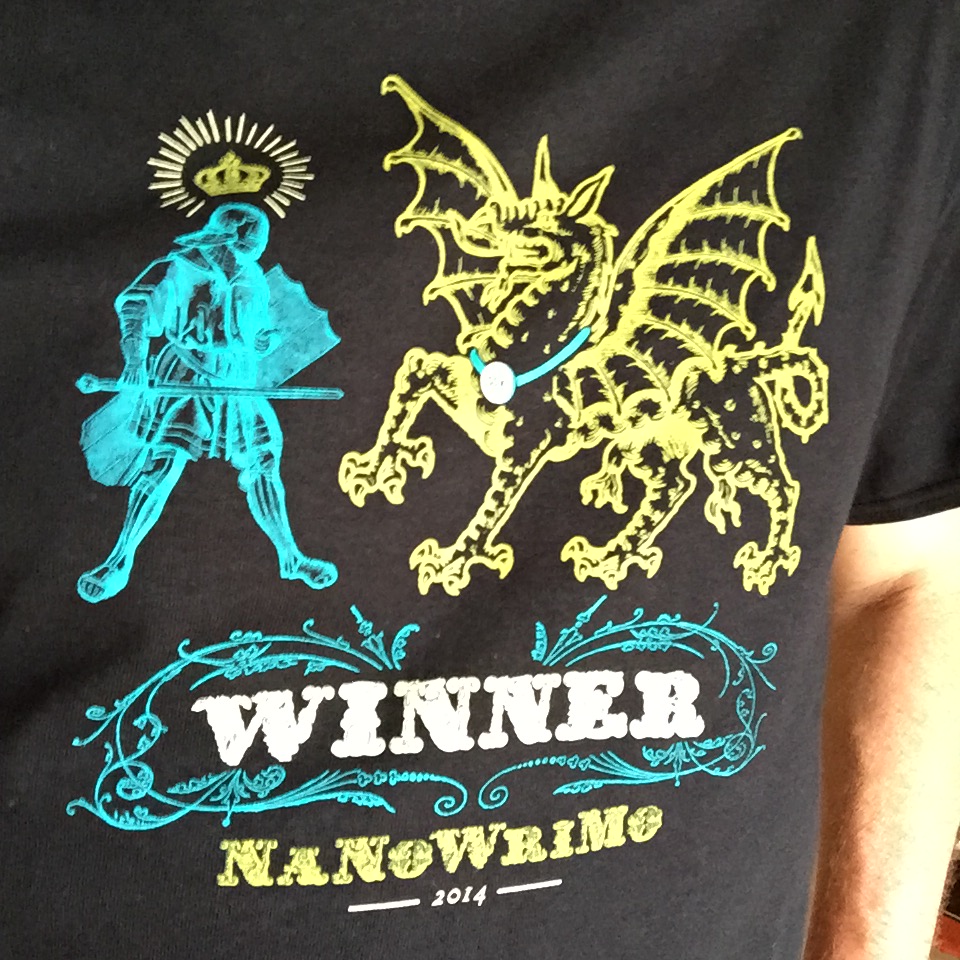
Regular readers may recall (and are perhaps a little tired of reading about), my participation in NaNoWriMo (National Novel Writing Month) last November, in which I managed to complete the goal of writing a 50,000 novel by month’s end. My continued posts on this topic are indicative of two things — one, it’s not entirely over; and two, as a prompt, my winner’s T shirt recently arrived.

The Winner's T-Shirt

The Winner’s T-Shirt

My original plan to write a follow-up post in December failed to eventuate. Simply put, I needed a break from the whole thing. So now, in the official NaNoWriMo “Now What?” months of revision, editing and publishing, it is time for me to revisit the story.

Upon taking a break, I am now looking forward to hopefully improving on the original draft. Achieving the goal of 50,00 words did not come without a few learnings and realisations along the way, some of which I thought worth sharing.

The Tools

I won’t go into any great detail here, as both the Digital and Analogue tools I used were covered in two previous posts. That said, a few other points I would add:

  • there is nothing like attempting a 50,000 word novel to become acquainted with an app you’ve not used before, and Ulysses III was a standout here;
  • a hat tip to author David Hewson (Twitter, Web), whose tips (particularly the story bible and keyword filters) from his ebook Writing a Novel With Ulysses III were invaluable in assisting my efforts;
  • although unrelated, using the Ulysses iPad app (currently in beta) for a month or so would suggest developer The Soulmen will also be on a winner for those wishing to write on iOS
  • conversely, when struggling with a scene or plot idea, more often than not, pen and paper sparked an idea to pull me through1

The Ideas – or lack thereof

IMG_3076

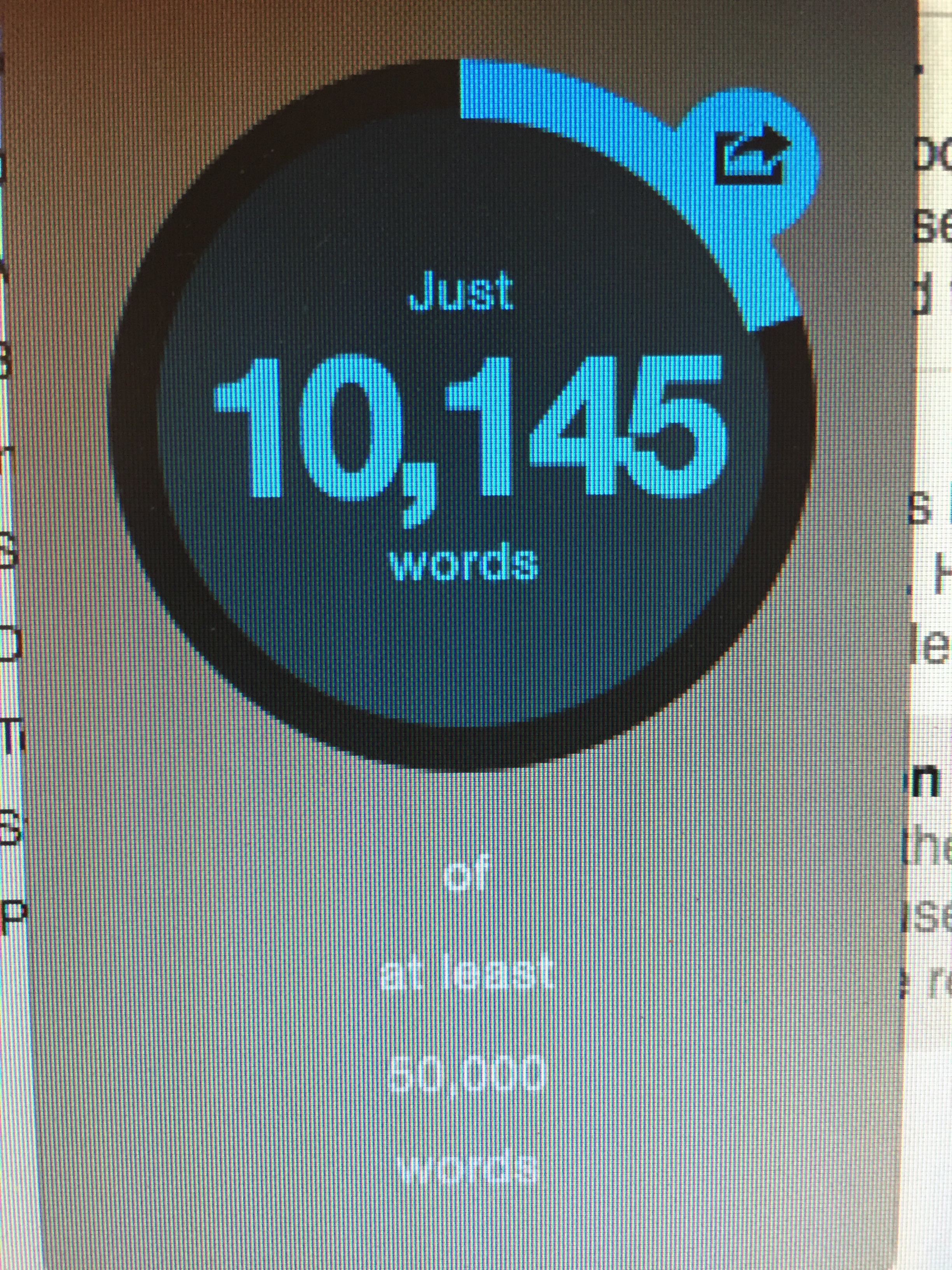
A milestone

Upon starting on November 1, I had ideas. In my mind (and transferred to a mind map) was a basic plot outline and the semblance of characters. Exactly where they would take me as the story progressed was another matter entirely. There were many times I ran into an idea block, however found the following to be of assistance:

  • a written summary or debrief at the end of a writing session often generated a flurry of ideas about the next few scenes or the overall progression of the story (a what just happened generating a what will or should happen of sorts);
  • when stuck for ideas, progression was often made through either a break from writing, or brainstorming with pen and paper — the frustrating part being I never pinned down which would necessarily work on a particular day;
  • my best ideas (as always) tended to strike at random times, so a quick entry in my Field Notes or the Drafts app on my phone was essential to avoid losing them, for even a minute or two later I often had a hard time remembering that “killer” idea.

Participating in a Creative Writing Challenge

I still do not have the answer to what made me think I had enough creative ability to undertake such a project. The argument here being anybody could — the difference? Quality of the output I imagine. In my case for the past 25 years, my writing has centred around the following:

  • University papers and reports (science/medical/allied health based);
  • treatment reports and correspondence (as above);
  • file notations and forensic analysis of medical reports;
  • management, financial, and general business reporting
IMG_3140

Getting there

As you can probably guess, my career progression has followed down the list, with my current role involving the last two points on a daily basis. Nothing in the list above strikes me as being overly creative in nature, however in some respects it is all writing, and involves planning, organisation, structure, and clarity of both thought and delivery.

The chance to write more creatively was likely one of the reasons I committed to the attempt. I am certainly not of the belief I have a “killer novel” somewhere inside me. I simply enjoy writing, and hopefully have a little talent, that with some practice, research and patience, I may be able to develop further.

Some additional points on this:

  • who knew that working for my entire adult life in “non creative” writing would leave me so deficient in knowledge around punctuation, sentence structure, and many other things real writers simply know (I was actually quite appalled at the number of things incorrect or required clarification before proceeding);
  • I am currently at a loss as to where to even begin to re-learn many of these aspects from my schooling;
  • it was around the 42,000 word mark I felt I really found my creative voice, making it difficult to wrap up the story, and resulting in the finished draft coming in at 55,000 words;
  • for someone who has not attempted such a challenge before, 50,000 words (or the magical 1,667 per day) is a great length — achievable though certainly not easy;
  • deadlines are good, otherwise I would never have finished;
  • deadlines are bad, as I definitely got less sleep, less physical activity, and spent less time with my (thankfully very understanding) family members during November

People Care

Although I posted a few word count updates to Twitter, and wrote the blog posts I mentioned above, in my physical world, only my family and a very small number of friends were aware of my participation as it was underway.

Screen Shot 2015-01-24 at 6.39.54 am

That would be – relief

The support received from my family was expected — to a degree, however went above and beyond, through extensive and unwavering words of encouragement; understanding at my constant desk-bound position; the expert editorial services provided by my ex-schoolteacher mother (a constant source of advice around some of those appalling gaps in my knowledge I mentioned earlier); and general excitement at the prospect of reading the finished product.

A little unexpected was the level of enthusiasm shown by the few friends also following along as the month progressed. Requests for word count updates; the “have you written today?” queries; genuine excitement at my synopsis and various plot “leaks”; and sincere requests for a copy to read once I was done.

It would be disrespectful to those involved to say the above was a complete surprise, however the enthusiasm shown by those supporting me (both family and friends) was touching to say the least.

What Next?

Now that I have that first draft in my hand, it is time to revise and edit, taking into account feedback from those who have read the draft (and in my teenage daughter’s case, kindly made extensive margin notes — and I mean a lot!).

I am also in the process of taking advantage of the deals on offer through the winners page on the NaNoWriMo site, including a printed copy of the novel through Blurb, which is a nice bonus. Also, catching a glimpse of the online writing community was also an eye-opener, and from what I saw, it is a pretty impressive one.

Conclusion

I certainly have a reinvigorated respect for those I consider real writers. As far as I am concerned, I wrote the draft of a novel here, however most certainly do not consider myself any sort of creative writer — however one may be defined. This is perhaps something I need to think a little more about, and work a little more on, however on current form, my mind keeps returning to the following from a book review in The Guardian recently shared by Matt Gemmell (one of the real writers) on Twitter:

He is probably a nice man. He obviously cares deeply about these great historical movements and has done a great deal of research — my God, he has researched and researched and researched. But on the evidence of The Book of Kings, he could not write ‘Bum’ on a wall.

Finally, NaNoWriMo provided me with a fantastic opportunity to learn a lot about my creative talents, workflows, and how my tools work (or don’t) for me, in a deadline driven, fairly intense challenge. Learning just as much about myself in the process, I highly recommend NaNoWriMo if you even have half an inkling to undertake such a project — and perhaps you do have that killer novel inside you.

After all, it is for a great cause, and remember, although many are — you don’t even need to be a real writer.

  1. Although the benefits of using pen and paper for brainstorming ideas are well documented, I cannot help but think this very common occurrence in my writing was also due to my inexperience in producing such a large body of work (for me) in a digital format


NaNoWriMo – My Digital Tools

So far, my NaNoWriMo (National Novel Writing Month) journey continues as we come to the middle of November. My note taking, outlining, and general scribbling continues with the analogue tools I wrote about last week. How has the actual writing (as well as a bit more planning) occurred? With a few digital tools, which I thought I would share below.

Planning and Outlining

MindNode
Although I should no doubt use the technique more, I do find mind mapping incredibly useful. In the past I have used iThoughts, however for 6 months or so, it has been MindNode on iOS, and MindNode Pro on the Mac.

Specifically in relation to NaNoWriMo, MindNode has kept organised the general outline of the four overarching plot lines to the story, which I find particularly useful for referring back to in relation to names and relationships.

Photo 14-11-2014 9 38 49 am


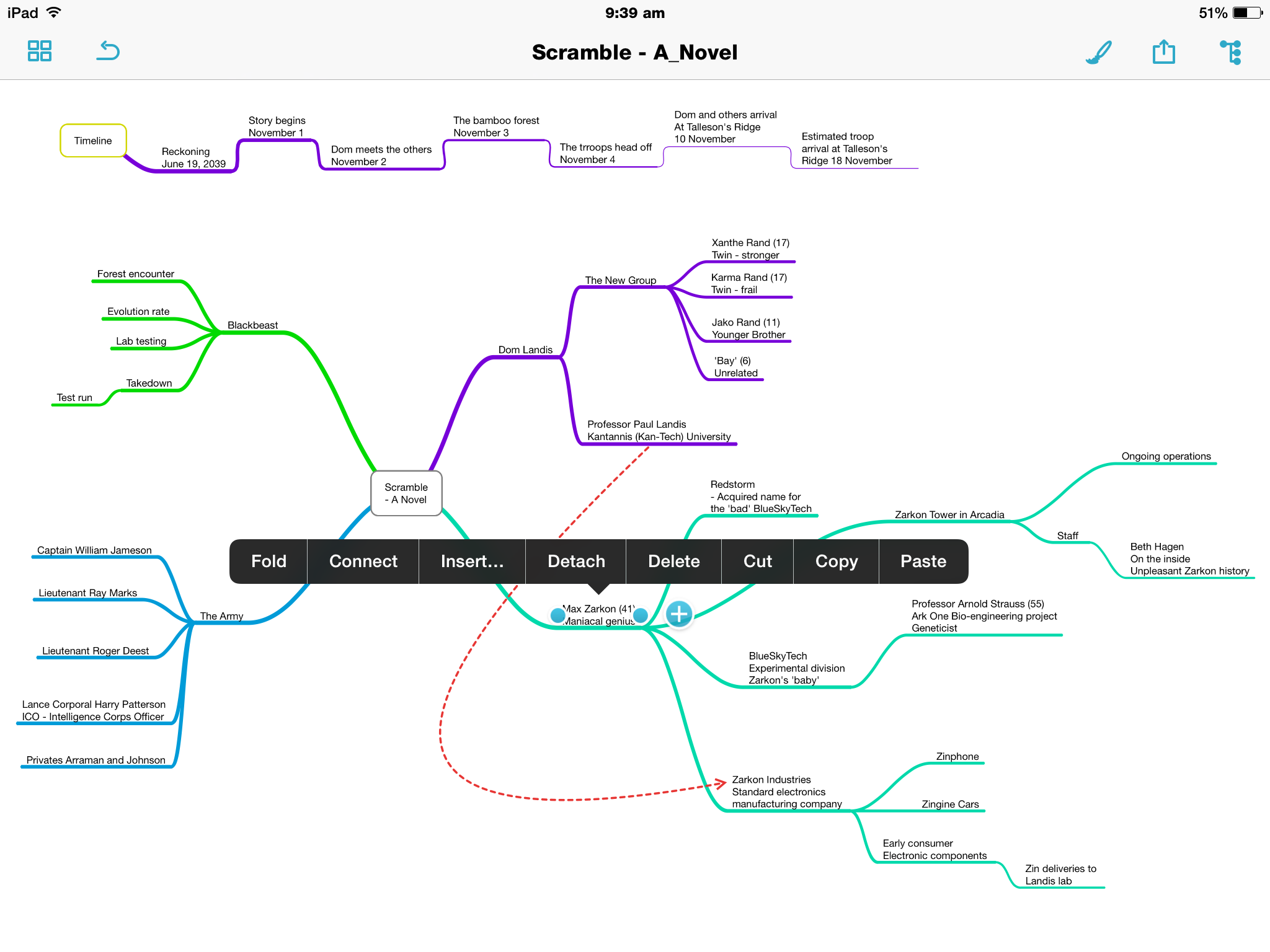
The initial map itself was constructed just prior to beginning writing, however it is now largely an evolving document which develops alongside the story. I’ve found it extremely helpful when adding components, to then sit and review the story as a whole, as it is outlined on the map.

You will also see a timeline running across the top of the map which I have created on a separate node, which will most likely be split into a second node directly below the current one as the story proceeds and the timeline lengthens.

Why MindNode? It’s simplicity is the main drawcard.

Tapping a node allows the creation of child node by pressing the ‘+’ icon which appears, with a double tap to edit text. The nodes can be ‘folded’ down or expanded; detached to create another node, or attached to an existing node by tapping, holding and dragging. The same can be achieved through the contextual menus.

Photo 14-11-2014 9 39 52 amPhoto 14-11-2014 9 39 18 am

Of course there are the usual style and formatting options for the background, text and nodes themselves, with a ‘smart layout’ toggle which, if on, will align nodes and branches uniformly throughout the map.

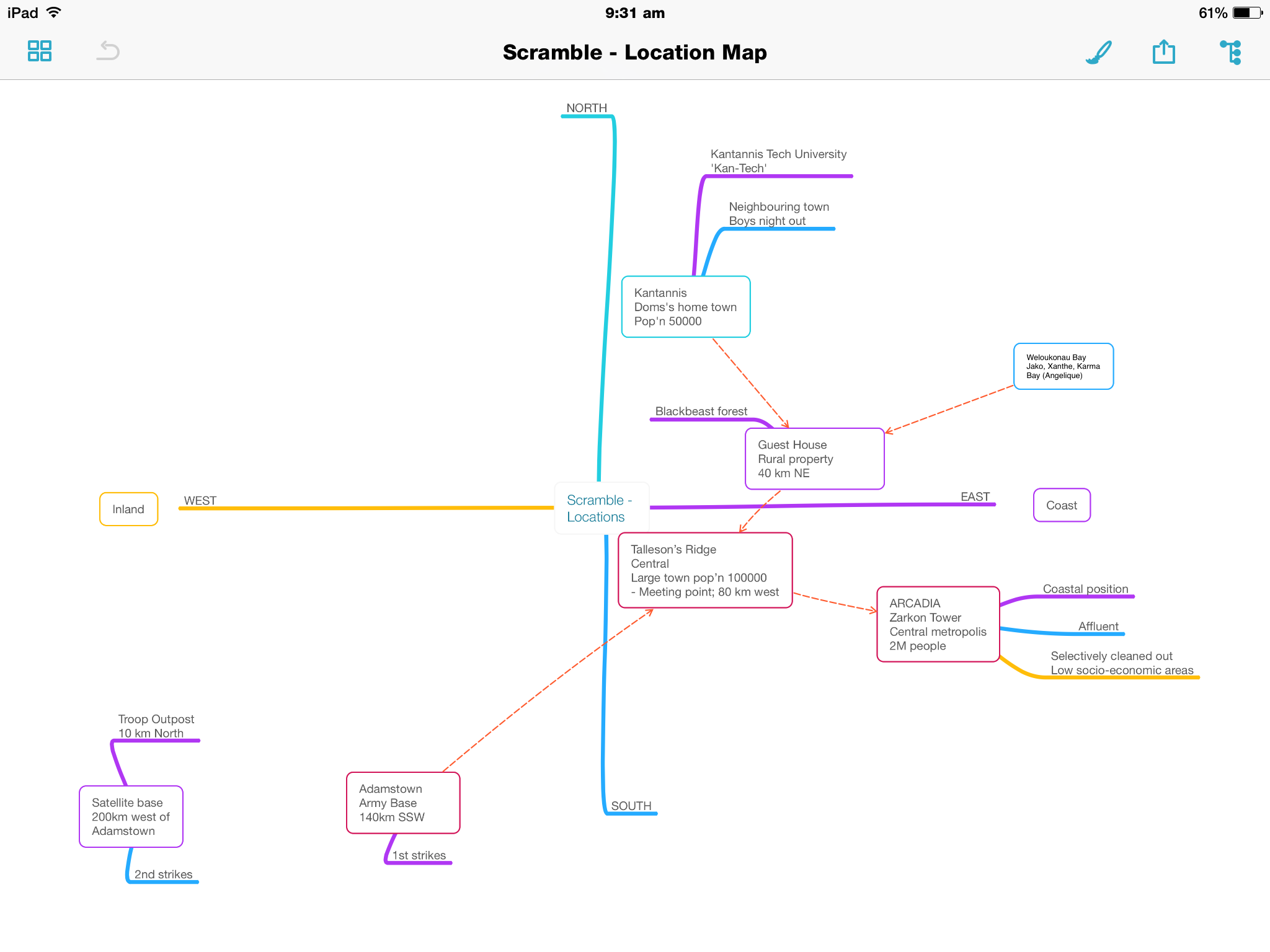
Although not it’s intended purpose, I’ve also created a ‘location map’ …map, if you will, which has been perfect for getting my head around where the characters have been, currently are, or are going to, geographically in the story.

Photo 16-11-2014 9 31 55 am

It does not have the advanced attachment options of say iThoughts, however I simply don’t require those. In organising my ideas, it is the content of what I get down, plain and simple. Oh, and I do love the outline view.

Photo 14-11-2014 9 38 59 am

Syncing is through iCloud Drive or Dropbox, with exporting options including Freemind and OPML file formats, along with text, PDF and image formatting.

Drafts 4
Although iOS only, I have been using Drafts for some time, recently upgrading to version 4.

For NaNoWriMo, it has been my go to app to use for quick notes, without needing to pull out my Field Notes and a pen. Syncing to my iPad mini provides some scope for expanding further on these notes on a larger screen if I need to, however I rarely do this.

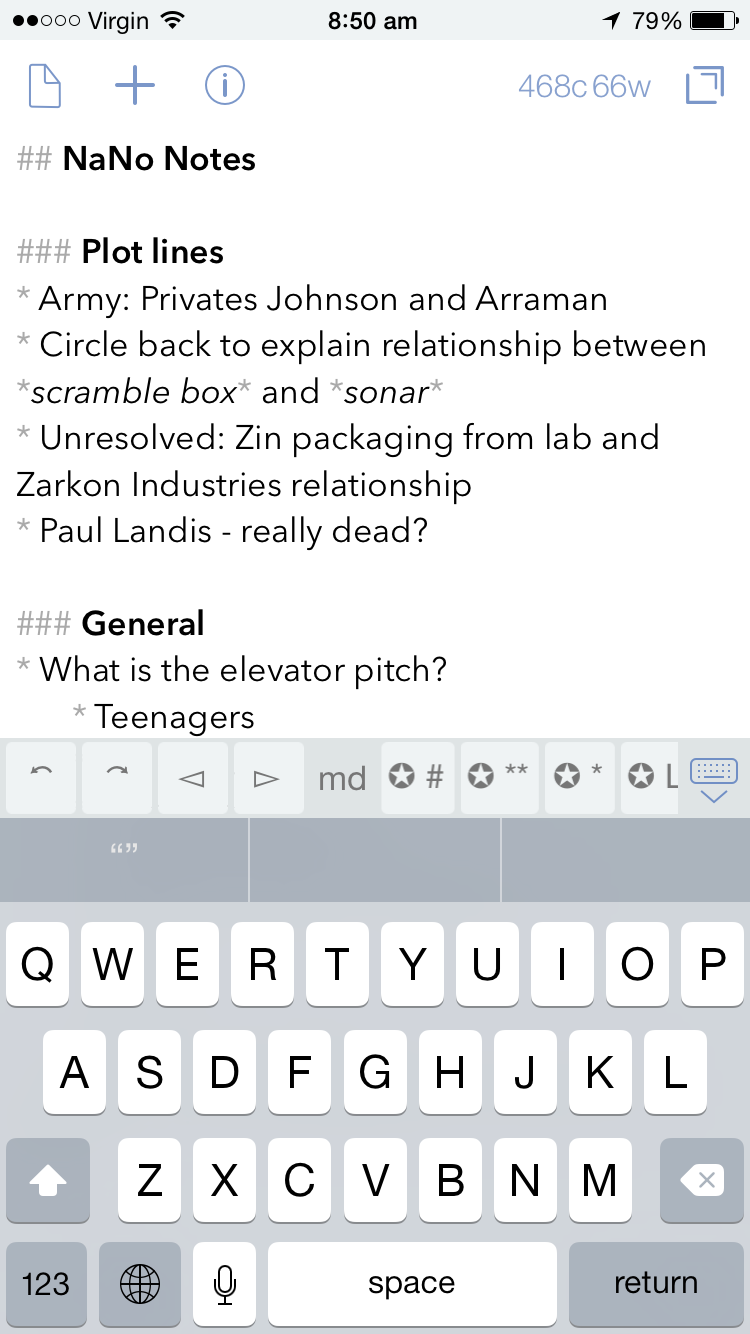
Currently in my ‘NaNo Notes’, I have a few thoughts around the plot, a couple of character names I had thought of, and some ideas for an elevator pitch, which only recently came up after a friend asked what the book was about, and I found myself somewhat disjointed in my resulting explanation. A catchy (I think?) tag line rounds out the note.

Photo 14-11-2014 8 50 39 amPhoto 14-11-2014 8 50 32 am

For those familiar with the Drafts app, there are virtually endless actions that can be applied to any note, with many more to be found on developer Agile Tortoise Drafts Action Directory.

Photo 14-11-2014 8 50 46 amPhoto 16-11-2014 9 40 11 am

As you can see from the screenshots, for anyone wishing to produce longer pieces, there is also Markdown support (with specific keys in the additional keyboard row for this purpose). At the current time, my NaNoWriMo needs only require a robust, reliable note taking app, and Drafts fits the bill nicely.

Writing

Ulysses III
All the planning and outlining in the world won’t get you very far in this challenge unless you get the words down – and a good few at that. For this, I have used Ulyssess III for Mac, which is described thus by developer, The Soulmen:

Ulysses lets you focus when you need to concentrate. It keeps all your texts neatly stuffed in its intuitive library. With a few clicks, Ulysses can create beautiful documents from your manuscripts: PDFs, web pages, even iBooks-ready ePubs. With its simple, clutter-free interface, it will turn work hours into fun time. And mere thoughts into powerful stories. If you love to write, and write a lot, Ulysses is made for you.

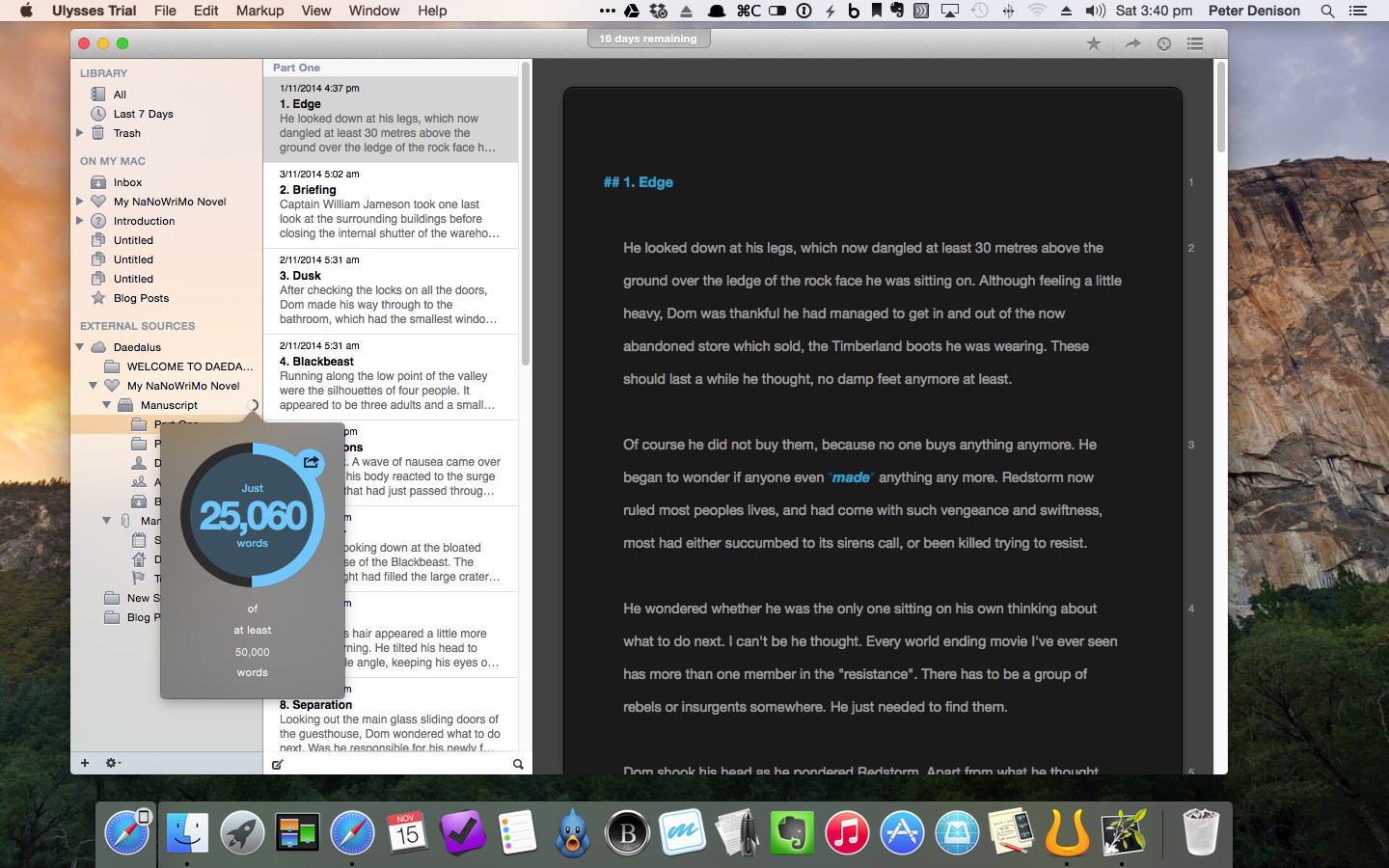
Indeed I have found Ulysses III to be a great tool for getting the 25k+ words down I have managed to write so far.

So, with Scrivener already on my Mac, why Ulysses? To be fair, I have not really written anything of length as yet in Scrivener (a widely known and well-loved app for many an author – not that I consider myself one), so I cannot really compare the two.

Through a sponsorship of NaNoWriMo, Ulysses offered a 30 day free trial of the app, with some email encouragement throughout the month, and a free extract from author David Hewson’s book Writng a Novel with Ulysses III.

Screenshot 2014-11-15 15.40.32

Given the enormity of the NaNoWriMo challenge, I was looking for something with enough structure to keep things organised, yet the simplicity to allow me to just write – a lot. As far as I am aware, Scrivener may be a little more feature packed and powerful, however Ulysses has been spot on for what I have required, namely:

  • Chapter and scene separation through separate ‘sheets’
  • Highly intuitive organisation of folders, files and keyword tags
  • Focused, full screen writing
  • Usual grammar and spell checking
  • Statistics, including word count and reading time etc
  • Effective grouping of scenes with key words so individual plot lines can be worked on in isolation, despite being mixed throughout the book
  • Markdown support
  • Exporting to other MD supported apps and also as ePub / iBooks
  • Syncing through iCloud or Dropbox via the ‘Add External Source’ option

Screenshot 2014-11-15 15.40.48

I have also written both this post, and last week’s on Ulysses, to try out some of the features more specific to a blogging, which has also been a great success. Incidentally, the insertion of a web link via copying a URL to the clipboard, highlighting a word in the post, and simply pasting to finish the link is a little magical.

Screenshot 2014-11-15 15.39.30

Ulysses is indeed a fantastic app for writing, and my initial plan to purchase it as a reward for finishing NaNoWriMo looks on track so far. I encourage you to check it out.

A final word from David Hewson:

Writing’s hard. Software should make it less so. Ulysses really does.

Daedalus Touch
Daedalus is the iOS companion app to Ulysses, also by The Soulmen, who describe it as The World’s Sexiest Writing App, and Simple, Powerful and Flat Out Georgeous.

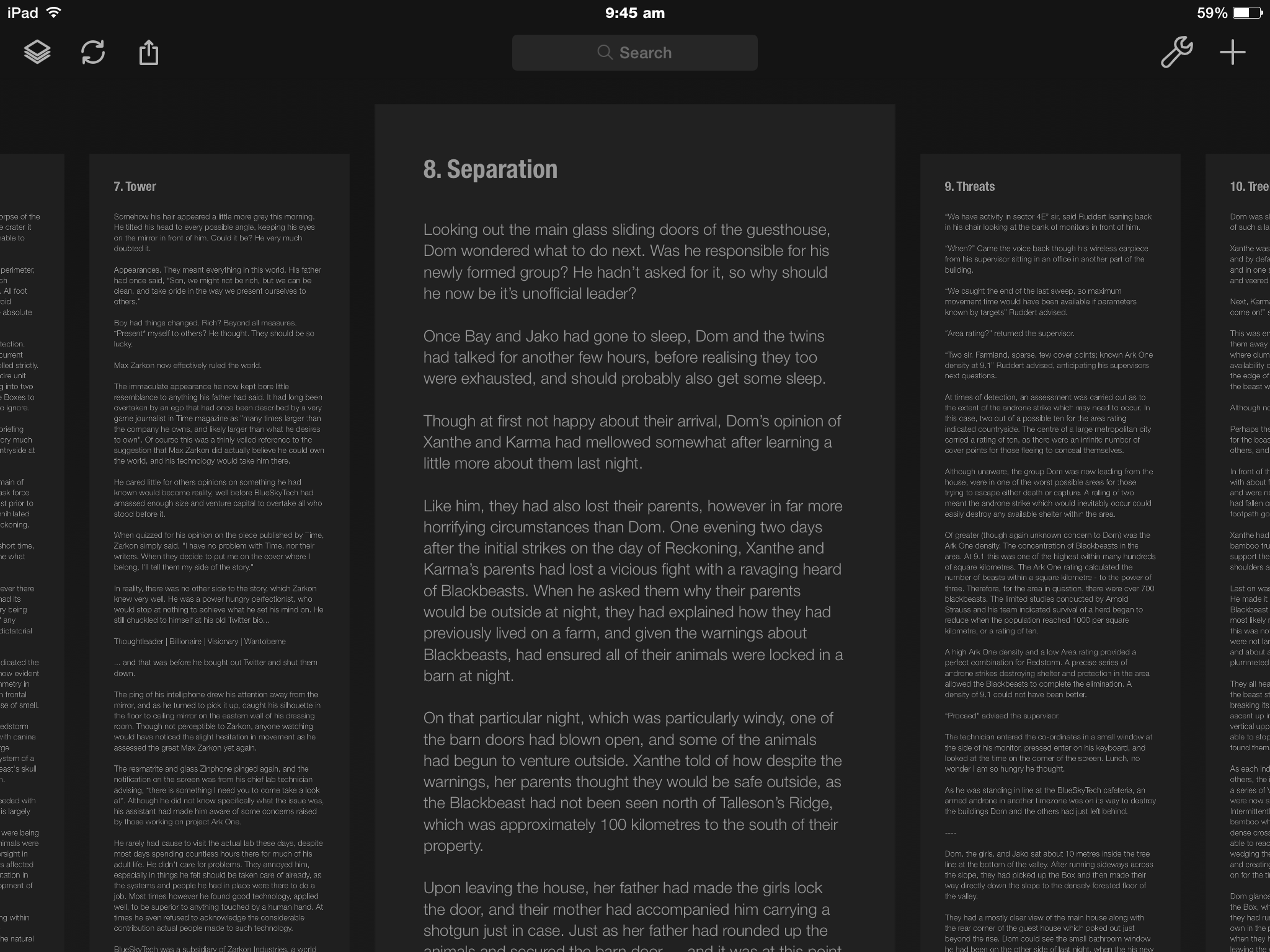
True? Well, it is strikingly minimal writing app, with an interface considerably different to many you will find on the market. The app is designed as a series of “paper stacks” rather than document lists, and, upon entering a stack, navigation is then by swiping from L to R, or the reverse between each page.

Photo 16-11-2014 9 45 02 am

Pages are not limited to a standard size, and will infinitely increase in length the more you write. To retreat back out of the stacks, a simple two finger pinch is all it takes. Daedalus has an additional, customisable extra keyboard row, containing a central area which, upon tapping, will scroll to the end of the sheet. A nice touch.

Photo 16-11-2014 9 45 47 am

Due to my insecurity with iCloud at the moment, setting up Dropbox syncing with Ulysses was a straight forward task, and has worked flawlessly since day one.

Having had Daedalus on my iPad and iPhone for some time, I guess I really just needed a reason to give it a good run, and I’ve been impressed so far. It has been the go to app for racking up 500–1000 words over my lunchtime coffee, or writing at the kitchen bench nearer my family, rather than being stuck at my desk.

Reviewing and Editing

As you’d expect, a good deal of editing occurs as I go along, however given the somewhat larger word count target than I am used to, there are times when I simply need to continue writing, and the editing and revision suffers a little.

iBooks
I am a firm believer in the reviewing or re-reading work in a different format to that in which it was originally written, as I find this allows me to pick up errors or parts needing revision a little easier. For blog posts I find Marked 2 a great way to review what I have written.

For NaNoWriMo purposes, I have found that exporting the book from Ulysses (an extremely easy task) to iBooks, allows me to not only view what I have written in ‘book’ format, but more easily pick up such errors, and I have the ability to highlight and take notes in the margin, which are then tabulated in the contents section of the book, and it is a simple tap to jump back to the relevant section.

Photo 14-11-2014 1 52 16 pmPhoto 14-11-2014 1 52 25 pm

Though I cannot edit the text directly as I read it, I have found it quite easy to edit on my Mac with my iPad in front of me showing the required revisions in iBooks.

The Hardware

There is not a great deal to say here, apart from mentioning the above Mac apps are used on a late 2012 Mac mini; the iOS apps on my iPad mini with retina display (now referred to as the iPad mini 2) or the iPhone 6, which have all performed flawlessly, and continue to do everything I ask of them. When writing on my iPad mini, I also more often than not use the Logitech Ultrathin Keyboard mini.

Conclusion

So there you have it. My NaNoWriMo ‘digital tools’ both for Mac and iOS. You would have a strong argument in saying I was a little crazy when undertaking this challenge to try new apps as well, however I think it says a lot about the simplicity and functionality of MindNode, Ulysses III, and Daedalus, that things have run so smoothly.

In fact, I am now quite confident these tools will see me through the next 25,000 words to the end.

Lets just hope the creative side of my brain will do the same.

Recommended Reading: Raw Materials – Matt Gemmell

My favourite writer on the internet is Matt Gemmell, by far. How does a former software engineer who now writes full-time write so well? Significant talent and untold amounts of effort and hard work most likely play a large part.

61e6rBgR4sL._SL1000_Gemmell has recently published an eBook titled Raw Materials, comprising selected essays from his personal blog, updated with authors notes and includes an additional piece written specifically for this collection. After picking up (well…downloading) the book on the day of release, a rainy Saturday seemed perfect to proceed from cover to digital cover.

Many of these intensely personal essays recount memories of a childhood perhaps not unlike many others. Where the real power lies in this collection is not from the content alone, rather, the feelings which inevitably surface as you read. Some may make you squirm a little; perhaps say “ah…yes!”; some may change your entire mood – and to me, that is great writing.

Although the specific events, family situation and upbringing described in these stories could not have been further from my own, similar feelings, emotions and fears were (are) all there, somewhere, though manifest differently in adulthood.

Gemmell sure knows they are still there, as he writes in Paths:

And if you glance over your shoulder, well… you won’t see anything. But your own memories are there nonetheless.

Believe me, many times during Raw Materials, you will find yourself glancing over your shoulder. Not intentionally, but inadvertently, sometimes surprisingly so. With these glances come fear (Staying Afraid); sensory engagement through smells of “dryness and age” (Stories); and innocent optimism where your wish might just come true – just this once (Wishes). Then there is the physical or emotional pain we all feel and recall all too readily (Relative).

It’s. All. There. And this man knows exactly how to write about it. In an utterly compelling way. Every time.

It matters not that our childhoods were markedly different, a decade or so apart, on opposite sides of the world. We are not so different Matt and I, nor are we different to countless others who grow up with memories so indelibly burned into our consciousness (or subconsciousness as the case may be).

Those memories are always there, whether we allow ourselves to engage them or not.

I highly recommend this short but powerful collection of essays. They are written with such clarity and precision, you cannot help but join Gemmell on his “travels” back to those moments where these very memories were made. It is also inevitable your thoughts will turn to the end product of such memories. You. Today.

Years whip by when your back is turned, leaving you standing on familiar streets that are nevertheless unsettlingly different. We all have troubling experiences hidden inside, and they shape us more than we realise. The news brings us fresh fears every day. The future is uncertain, and it’s coming whether you like it or not.

Authors notes – Whispers

Raw Materials is available now from Amazon, though I’d suggest first visiting mattgemmell.com, adding it to your bookmarks or RSS feed, then clicking through to Amazon for your copy of the collection (AUD$3.72).

Matt Gemmell’s debut novel Changer will be published later this year, and if there were already a queue, I would be in it.