Wiser Web Wednesday

Wiser Web Wednesdaya weekly link to posts of interest from around the web:

Study Hacks
Although specifically referring to mathematical proofs, there are enough hints here for broader applications. My favourite? Idea 1 – sometimes we just need to be specific, have clear aims, and deal with it:
How to Read Proofs Faster: A Summary of Useful Advice

1Password for iOS Tip of the Day
Along came this little gem in my Twitter feed recently – swipe right on 1Password (iOS) entries to copy the password. A cracker. It appears many others needed a little reminding about this great feature I was unaware of:
1Password Status

The Sweet Setup
As someone with less than 12 months Mac experience under my belt, tips like these come in very handy:
Quick Tip: Enable Hot Corners on OS X

Pens! Paper! Pencils!
Nothing wrong with a little tech, but where are the pens and ink? Why here for starters:
Diamine Ochre ink review

Hastily Written
Lately I’ve been drawn to the red/orange/brown spectrum of ink colours, however on the opposite side of the rainbow, am also in need of a new blue. Food for thought here:
Ink Drop: July 2014

Office Supply Geek
If a little colour in a notebook is your thing, Brian takes a look at the turquoise Rhodiarama hard cover. Same Rhodia quality – just a little louder:
Rhodiarama Notebook Review

The Atlantic
Did you read my previous post on penmanship? Maybe a slightly different tangent from such an idea (which by the way wasn’t written this quickly):
How to Write 225 Words Per Minute With a Pen

Still Drinking
Of course punctuation matters, however as much as we think it does? Need I say more:

English is a mutt of a language, inheriting ludicrously contradictory spellings and grammars from other languages.

Nobody. Understands. Punctuation.

Barista Magazine Blog
I’m all for someone having a stab at the often elusive “where did this originate?” – perhaps the Dutch Traders in the South Pacific were the lucky souls that invented out of necessity. Although this low-acidity brew is not new, and something I have written about before, I’m interested to see how the trend has caught on in the modern Cafè scene. This series might be one to follow:
Completely Cold brew: Part 1 of a series

2013 Gift Guide and Wishlist

Everywhere you look at the moment there are numerous Christmas gift guides, from software to hardware, tools and trinkets, things to eat, drink, watch or listen to. Oh, and everything in between. It is the time of year for it after all.

Writing a gift guide that doubles as a wishlist (Wishguide?), there is always a chance someone close to me may read it and … I think you get the idea. Why create a list if I can’t cross off a few items for myself along the way?

Outlined below are groups of items aligning with the categories in which I post on this site. Hopefully there is something here that interests you, or perhaps will suit someone you are buying for. Away we go…

Thoughts

A difficult category to easily slot products into, however a check of my Goodreads “To Read” bookshelf reveals a couple of titles.

On Writing by Stephen King | $11.83 Kindle Edition |

IMG_0601
A favourite author of mine through my late teens and early twenties, and widely acknowledged as one of the best. I have seen many positive reviews of this insight into the creative writing process from such a master of fiction. The Goodreads description:

Part memoir, part master class by one of the bestselling authors of all time, this superb volume is a revealing and practical view of the writer’s craft, comprising the basic tools of the trade every writer must have. King’s advice is grounded in his vivid memories from childhood through his emergence as a writer, from his struggling early career to his widely reported near-fatal accident in 1999 – and how the inextricable link between writing and living spurred his recovery. Brilliantly structured, friendly and inspiring, “On Writing” will empower and entertain everyone who reads it – fans, writers, and anyone who loves a great story well told.

David and Goliath by Malcolm Gladwell | $9.99 Kindle Edition |

IMG_0603
I must admit to knowing less about this particular offering from Gladwell, however enjoyed immensely his work titled Blink. Whether or not you agree with what he has to say (and many don’t), there is little doubt your own thoughts will be challenged by Gladwell’s books. Again, a little background from Goodreads:

David and Goliath draws on the stories of remarkable underdogs, history, science, psychology and on Malcolm Gladwell’s unparalleled ability to make the connections others miss. It’s a brilliant, illuminating book that overturns conventional thinking about power and advantage.

Improvement

There are any number of things I could list here, however the focus is on my system for tracking tasks and projects.

Omnifocus for Mac | $84.99 AUD Mac App Store |

IMG_0607
Omnifocus is the ultimate App for personal productivity and task management. I have been using Omnifocus for both iPhone and iPad over the past year or so without the “Godfather” – that is, Omnifocus for Mac.
The overall App count on our new Mac mini is slowly building (especially after the recent Black Friday App store sales), however at $84.99 AUD, Omnifocus for Mac is a significant investment that will certainly be made – I simply haven’t done so yet.

Omnifocus Premium Posts | $67.00 Asian Efficiency Store |

IMG_0604
What I believe would be the perfect companion to the above recommendation comes from Aaron and Thanh at Asian Efficiency. Honestly, with the exception of reading Getting Things Done by David Allen, you need look no further for some fantastic advice on productivity in general, and more specifically, Omnifocus. The resources (most of which are completely free) these guys have put together to improve how you use Omnifocus are superb. Access to the Premium Posts which includes bonus content can be purchased for $67.00 through the Asian Efficiency Store.

Coffee

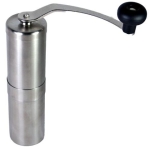
Porlex Hand Grinder | $65.00 AUD |
IMG_0609
Why a hand grinder? Apart from the obvious convenience when used for travel, I plan on purchasing a hand grinder to use when brewing single origin coffees at home. Much of my brewing is done with the Hario V60, and I often use this in the evenings, with the electric grinder not a great option when some in the household are asleep.

I have also researched a little into the Hario Skerton model as well, however a couple of reviews seem to suggest the Porlex may shade the Hario in performance. Another plus being the Porlex is sold through my green bean supplier Ministry Grounds, and it may not be too difficult to accidentally click “add to cart” at some point in one my future orders.

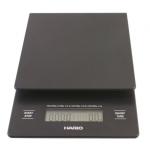
Hario Scales | $61.00 AUD |
IMG_0605
As I mentioned above, much of my home coffee brewing these days is done with the V60, requiring a fairly accurate ratio of water to coffee, as determined by weight.

Although the digital scales I currently use are adequate, there is one major problem in that the auto-off interval is too short. Not so great when aiming for a specific target weight to have the scales go blank and obviously reset to zero when turned back on. I have managed to get around this by constantly pressing and releasing the scales in between pours to keep them “active”, however this is obviously less than ideal.

The inbuilt timer on the Hario model will also come in very handy.

Tools

Kaweco Ice Sport Fountain Pen | $24.95 AUD |

IMG_0598
A fountain pen was always going to make this list. For years I have used my faithful Mont Blanc Meisterstuck, however given its value (both sentimental and material), I have always been a little nervous carrying and using it as an everyday pen. Obviously my preference for an everyday pen still runs towards something I enjoy using, which is likely to be a fountain pen.

The choice here, a Kaweco Ice Sport in green. Something that is great value for money, has excellent build quality, and in my opinion looks pretty good too. At this price point, my mind would be at ease including this in my everyday carry.

Noodlers Ink – Apache Sunset | $22.95 AUD |

IMG_0596
For many years I have relied on the Mont Blanc Black and Blue-Black inks in my fountain pen. In recent times this pen has been increasingly used for reviewing and marking up documents, where a different colour is useful to easily see any markings or notations on the page (standard white copy paper with black text).

Why not go bright with a colour that will really stand out! This particular Noodlers Ink is a brilliant, rich orange – somehow I don’t think it will be hard to see my notes written in Apache Sunset.

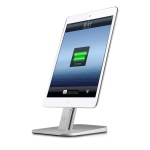
Twelve South Hi-Rise Stand for iPhone / iPad mini | $34.95 AUD |
IMG_0599
Twelve South produce high quality accessories for Apple products, and are available in the Apple Stores or on-line.

This particular stand, which requires a small amount of assembly, accommodates a Lightning charger and is adjustable to allow for having a case on your iPhone or iPad. This is a stylish way of lifting the device up off the desk – very handy for using my iPad mini as a second screen whilst sitting at my Mac, and makes a perfect hands-free face time accessory.

Bonus Item

Yamazaki 12 Yr Old Japanese Whisky | $130.00 AUD |

IMG_0600
This one is a bolt from the blue. I am certainly no expert on golden liquid of the single malt variety, however scotch has always been my drink of choice – to the tune of relaxing with one or two on weekends my maximum intake.

There has been a bit of a buzz around Japanese whisky for a little while now, and I am keen to sample what is on offer. Why this particular maker? No specific reason, however why not start at the beginning, with Japan’s first malt whisky distillery. Australian site World of Whisky provides a little background:

Yamazaki is a Japanese whisky distillery located in Shimamoto, Osaka, owned by Suntory. In 1923, Shinjiro Torii, the founder of Suntory and the father of Japanese whisky, built Japan’s first malt whisky distillery in the Vale of Yamazaki. Using copper pot stills, the Yamazaki distillery was the first of its kind outside of Scotland. The distillery’s location on the outskirts of Japan’s ancient capital of Kyoto offered pure waters, diversity of climate and high humidity—the ideal environment for the maturation of good whisky.

The taste? Described as initially dry and herbal, becoming fruitier with smoke. According to this article in Gear Patrol, I may be onto a good thing. Cheers!

Conclusion

That concludes the Gift Guide / Wishlist for this year, and provides a little more insight into my interests and spare time pursuits. If there is nothing specifically on the list that interests you, hopefully it has at least provided a few areas to look into for similar products closer to the mark.

Most of all, best wishes to you, valuable reader. I truly appreciate the time you take to come and read these posts.

Merry Christmas and a safe and happy New Year to you and your family.

Uni-ball Jetstream – Good, but not the best

More than a little discussion, both written and verbal ensued after the publication of this Wirecutter article concluding the “best pen” (read – “the best affordable pen around for taking notes at school or a meeting”) is the Uni-ball Jetstream. In addition, my wife had recently started using one and absolutely loves it. The article itself was published in September this year, and upon reading it and hearing my wife’s feedback, I began to wonder why the 4 pack I purchased at the beginning of the year remains unused. Does the Jetstream have a place in the list of pens I prefer to use? The short answer is no, though it would seem reasonable to explain why.

According to the reviewers in the article:

For an affordable pen that writes smoothly; dries quickly and indelibly; won’t bleed, skip or feather; and has the best ink flow of any non-fountain pen; grab yourself the uni-ball Jetstream. Available in a number of sizes and colors, it’s the best affordable pen around for taking notes at school or a meeting.

As you will see, the “pen pedigree” of those utilised by The Wirecutter to reach the final choice is without question, many of whom I follow on the internet for their opinions on these very matters:

It’s worth noting the segment of use we are talking about here. This is an everyday pen – one that you don’t mind lending and ultimately losing if it comes to that. An office supply type pen – not your bargain basement sub one dollar pen, but a cheap one nonetheless, at under five dollars. We are clearly not comparing this pen to those in medium to high price ranges.

The Pens

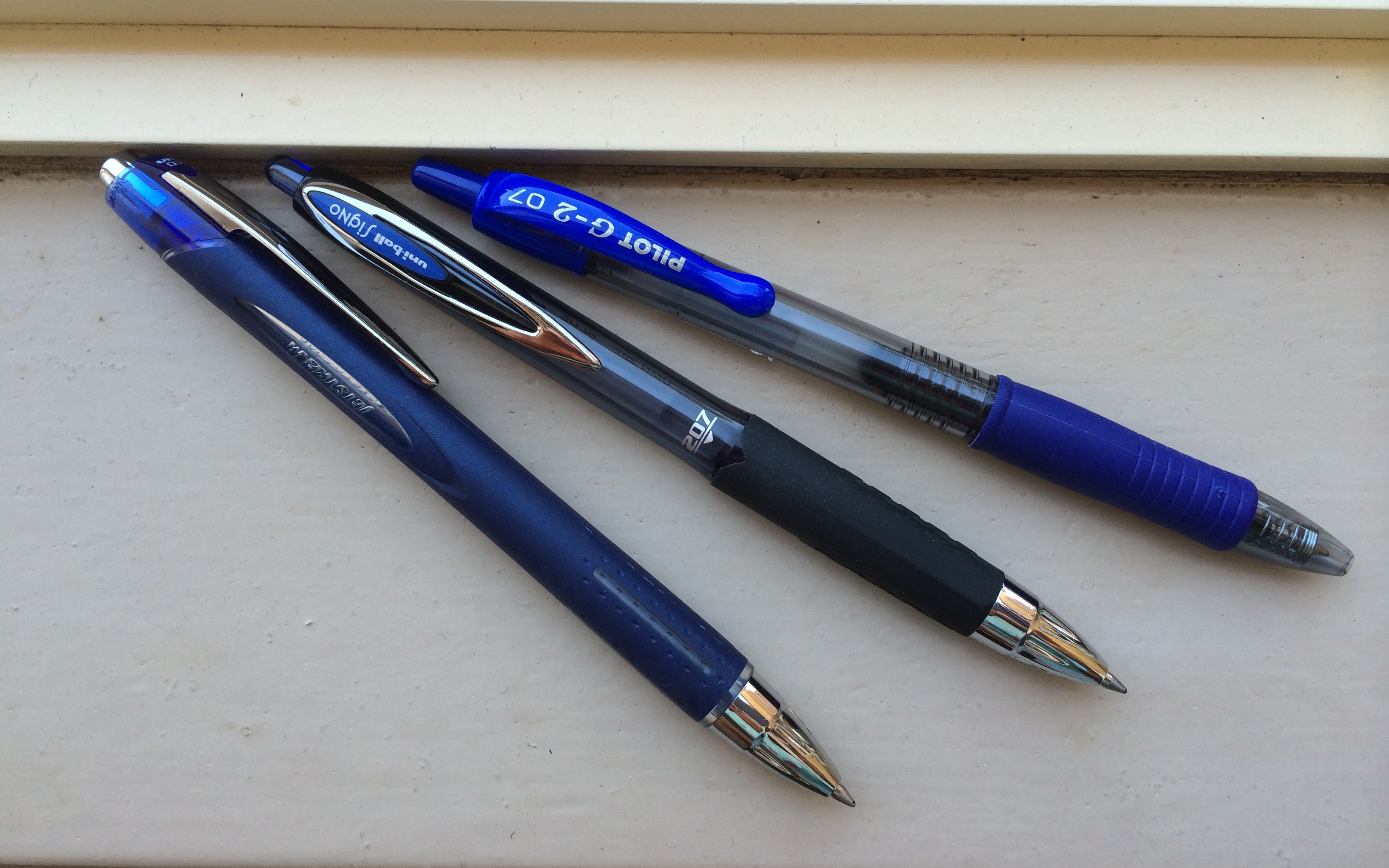
From left: Uni-ball Jetstream, Uni-ball Signo 207, Pilot G-2

From left: Uni-ball Jetstream, Uni-ball Signo 207, Pilot G-2

For a reasonable comparison, I picked up a blue rollerball ink 0.7mm Jetstream and a couple of other retractable gel-ink pens, the Pilot G–2, and Uni-ball Signo 207, spending a few weeks rotating between each. The conclusion? I prefer the Signo 207 over both the G–2 and the Jetstream – for very different reasons. So is the Jetstream really the best pen? The answer is probably yes as a recommendation for others – just not for myself.

My Use Case

A little background on my use first. This varies greatly depending upon what any particular day brings. The office I work in utilises a “paperless” approach, in that much of what I hand write is an initial or signature on the few pieces of paper which are produced and come across my desk to sign. Longer form writing occurs with meetings and telephone calls, for I am not capable of typing quickly enough to capture the necessary information electronically for either.

The paper? This varies between your standard copy paper for any printed documents (initialed or signed); a cheap office supply spiral bound A4 ruled notebook (telephone calls and general scratchpad); an extra-large ruled Moleskine Cahier (idea or ‘spark’ journal); a Moleskine Large Squared Softcover notebook (meetings); and finally, a Field Notes notebook – currently the Night Sky Edition (for random thoughts or anything else).

Pen Choices

As with most of us, my choice of pen is based on numerous factors. The look (overall aesthetics, design, colour) of the pen; the functional fit and feel in my hand (overall weight, distribution, thickness and length); the performance (ink flow, smoothness, skipping, boldness of line, feathering, bleeding etc); suitability for the variety of paper types I typically use in a day; and whether or not I look forward to using the pen – does it make me want to pick it up when I have something to write.

Listing the criteria above is a curious endeavour. Do I have a list of check boxes for each of the above in determining whether or not I like a particular pen? Not at all. For someone who is a little obsessed about what they write with, you would think this would be the case, however it is probably only when writing about what I write with that the delineation of these characteristics becomes more relevant.

Overall it is a fairly simple process:
– That’s a good-looking pen;
– It does or doesn’t feel right;
– It does or doesn’t write well, and has or hasn’t bled, feathered or smudged;
– Has it sufficiently dried by the time I need to turn the page

The Outcome

After already letting the cat out of the bag above, you know the Jetstream doesn’t come up trumps for me.

As far as looks go, firstly, I find the G–2 to be a pretty ugly pen, whereas both the Jetstream and Signo 207 are quite well designed, with the Jetstream probably looking a little more “premium” overall. In considering the feeling in my hand, here the G–2 does win out. I have always preferred a slight taper where my index finger sits on the grip section of the barrel. Both the Jetstream and the Signo 207 have no taper and the Jetstream appears to have a slight increase in thickness nearing the lower end of the grip (as an aside – is that an un-taper, de-taper or even an a-taper? – anyway, it gets ever so slightly thicker). So the winner here is the G–2.

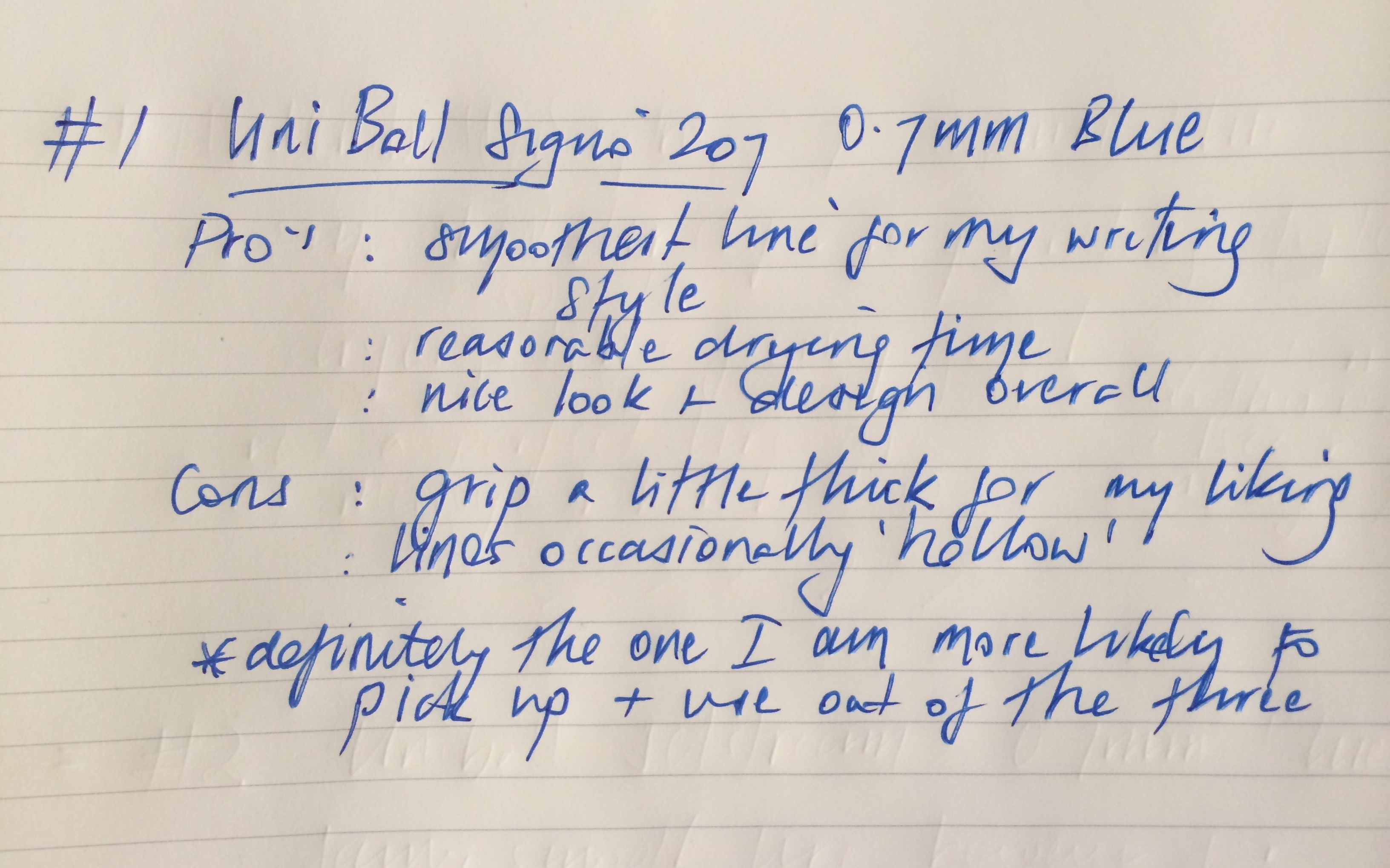
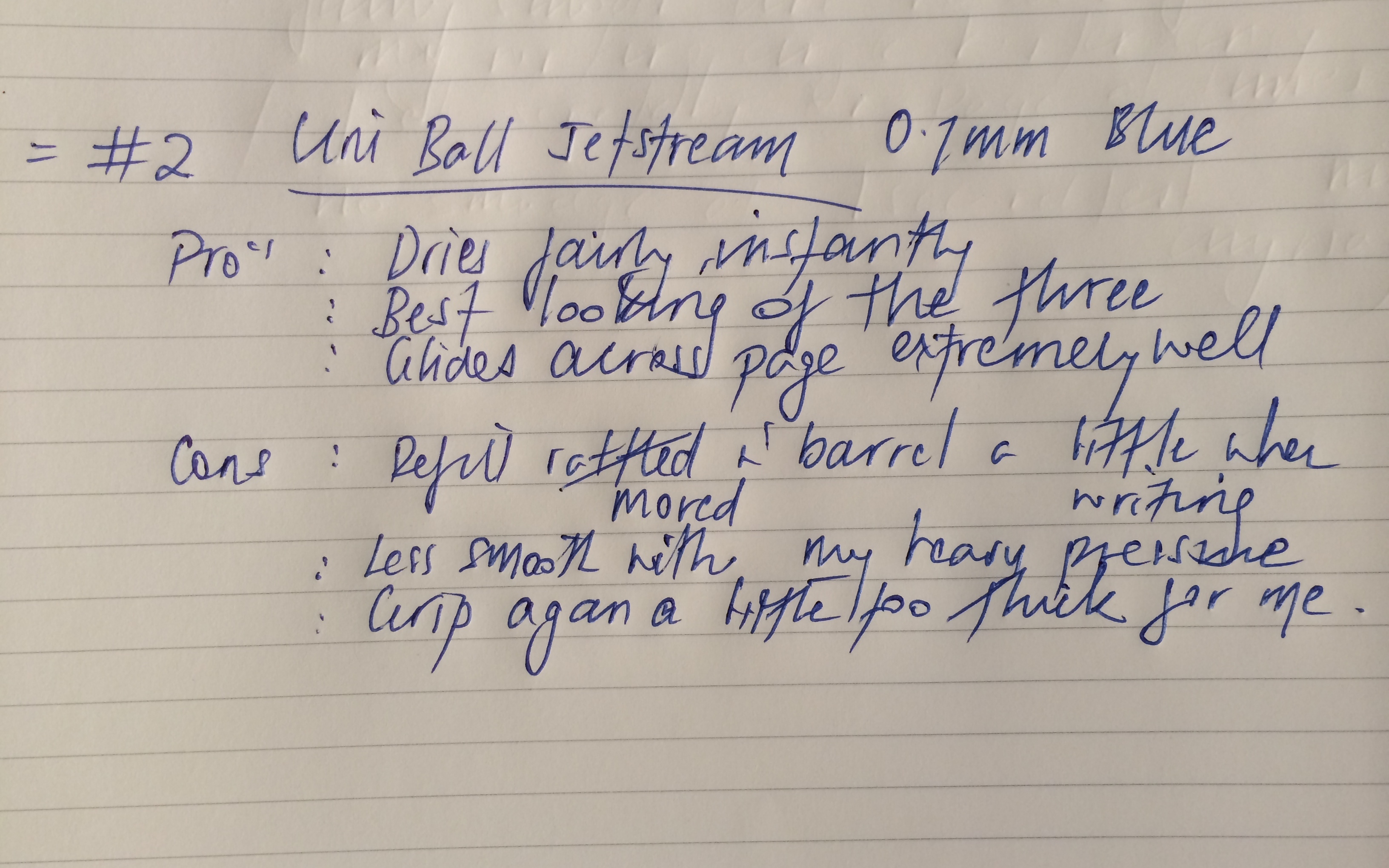
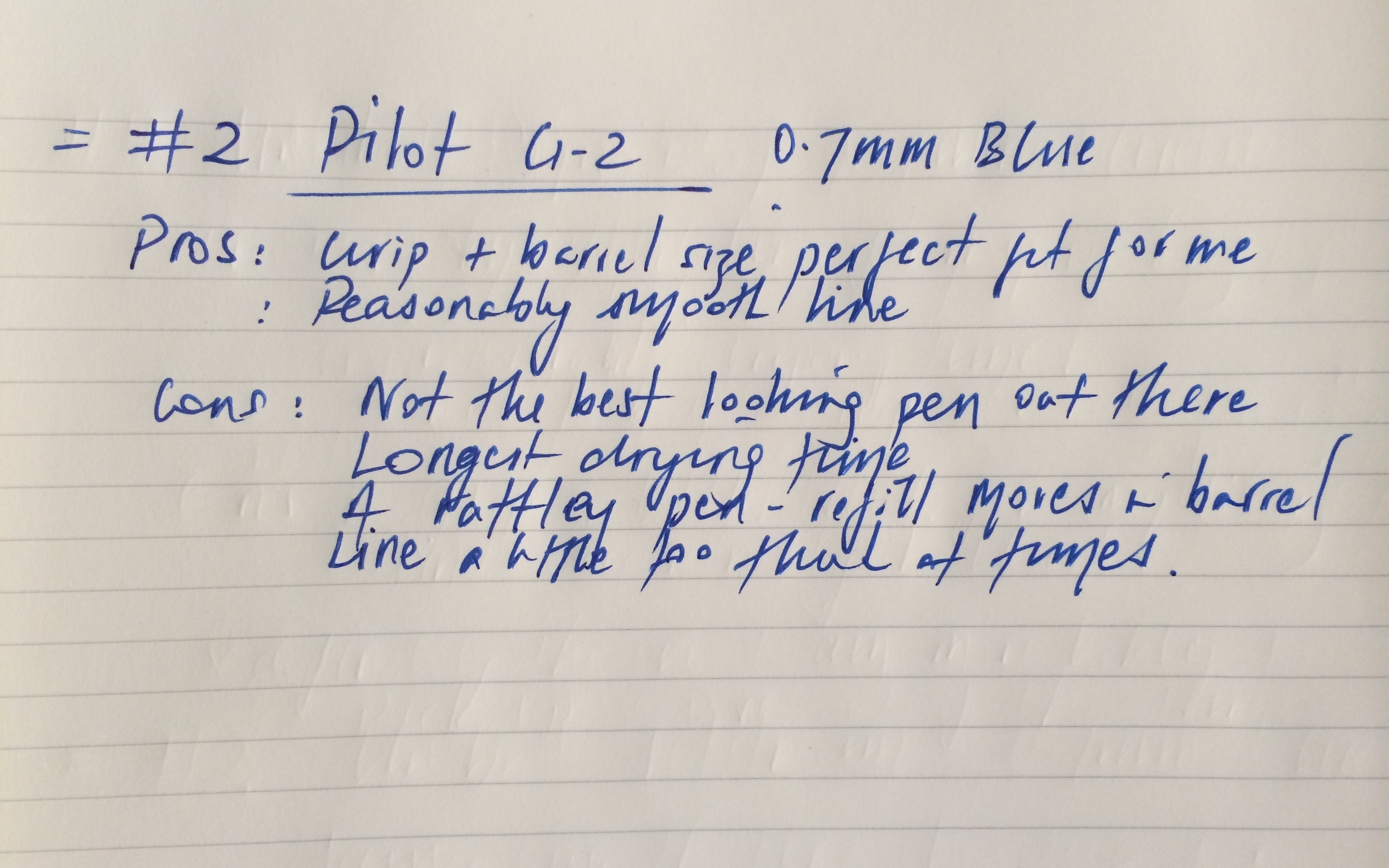
One other issue I found with both the G–2 and Jetstream was the refill moved around in the barrel a little at the tip – something which constantly annoys me about a pen when it occurs. As for the writing, I will let the images from my Moleksine Cahier do the talking here:

IMG_4383

IMG_4384

IMG_4385 copy

Conclusion

Although I have compared three different pens over the course of the past two weeks and collected my thoughts as indicated above, personally, I don’t really think there is a clear winner. I can certainly see (and mostly agree with) where the conclusions drawn in The Wirecutter article are derived, and for most I think the Jetstream would be a fine pen. I would also have no problem recommending the Signo 207 if asked (though I rarely am). The only one of the group I would not recommend is the G–2 – not for long form writing anyway.

To summarise why, firstly, apart from the shape of the pen which suits my hand and writing style, there are not too many redeeming features I see in the G–2. The Signo 207 and Jetstream are fairly close, however I cannot write for any length of time with the Jetstream, which I believe relates more to my style of writing then the pen itself. I tend to press heavily when writing and use quite an angled pen position, so without a fairly heavy ink flow, things feel pretty scratchy pretty quickly. In thinking back, this is no doubt why I have always used rollerball and gel ink type pens, along with the fountain pen I wrote about in a previous post.

This combination of writing style and the Jetstream do not quite mesh, and it often felt as though it was too much effort to push the pen across the page. Notably, this improved markedly with better quality paper and lighter pressure, though the paper I use is not always of this quality, and that is not the way I write. The Jetstream also produced a much finer line than the other two, so it could be suggested the 1.0mm may be a better fit, however I recall using one a little while ago and finding the same issue.

On most occasions when the three pens were available in front of me, the default selection was the Signo 207 – it was the one I wanted to pick up, and hence was the winner in this comparison. There is always one caveat to reviews or comparisons such as these, and that is to remember this is my perspective, based on my writing style and use case – yours may be very different.

My advice? Pick up a couple for yourself and give them a run (I’d go with the Signo 207 and the Jetstream in varying sizes). It certainly won’t break the bank, and you may find yourself with the best pen – for you anyway.

Me? I am still on the journey to find mine, although in the mean time I will revert back to my trusty Retro 51 Stealth Tornado and Kaweco Sport.

My Fountain Pen Day

2013-10-29_02.04.32_01

This Friday, November 1 is the second annual Fountain Pen Day.

My original “fountain pen day”? That was sixteen years ago, the 20th day of September 1997, when I received the gift of a pen from my beautiful wife. The very same pen is with me every day, and is a constant joy and delight to use.

The irony is not lost on me as I write on a touchscreen keyboard about something so, well…traditional and analogue. However, this is the world we live in. As far as fountain pens go I entered at the deep end, the pen in question being a Montblanc Meisterstuck Classique, which has been a star performer since day one. The pen described by Montblanc:

Fountain pen with piston converter, 14 K gold nib with rhodium-plated inlay, barrel and cap made of black precious resin inlaid with Montblanc emblem, gold-plated clip and rings

Over the past sixteen years, I have used a limited range of inks, never venturing beyond the Montblanc variety, usually black or blue-black. Currently it is inked with Montblanc Midnight Blue. The nib is medium, and although a little broad for everyday work use, this is how I like it – something I use for enjoyment, not utility.

Why do those of us who use fountain pens do so? I’m sure we all have our reasons, however for myself, I would venture to say the answer would be similar to asking why I roast my own coffee – for the opportunity to be involved in what I am doing. To be a part of what is being produced, and influence the end result. My hand writing is far from perfect, and I often sit back and smile as I struggle to produce uniformity – for it’s in the struggle where you will find the worth, the reward. The never-ending search for a perfectly formed, written line is like the perfectly roasted bean and brewed cup, tantalisingly close but by necessity always beyond reach, for if ever truly achieved…

It is the slight imperfections in our endeavours that define us all and make us unique. The cup that just misses or the tail on the q being a little too short. The journey from line to line will take you towards it. Where? To somewhere you can only go in that moment of angle, pressure, ink flow and concentration. When to reposition your hand, whether the pen is rotated to the nib sweet spot, if I’m going to hit that fleck in the paper that may throw off my rhythm.

Frustrating? Absolutely.
Hopeless? At times.
Inspiring? Always.

The perfect piece of written prose in perfect cursive? Never. This pen as the perfect companion for a lifelong writing journey? Yes indeed.

2013-10-29_03.30.58_00

Another perfect companion for a life journey on that same “fountain pen day”? Absolutely. That day sixteen years ago was my wedding day.

Byword

Untitled

There’s nothing more enjoyable than seeing a major update come through for one of your favourite apps, recently the case with Byword. As stated by the developer, Byword is a simple and efficient text editor for the Mac, iPhone and iPad, allowing you to write, sync documents (Dropbox, iCloud), and now directly publish – one of the main changes in version 2.0. What follows below has a focus on iOS, which is where I exclusively use this app.

Untitled

Publish
Via a once only in-app purchase of $5.49 (AUD) which enables the feature on both iPhone and iPad versions, Byword now has an option to publish your words directly to blogging platforms Tumblr, Blogger, Scriptogram, and of course WordPress, which is exactly how this article has been posted. This feature also enables integration directly with the notebooks in your Evernote account. I particularly like this feature as it allows me to easily archive any posts (or drafts that may not have made the cut and will be subsequently reviewed) for later reference. More about this in a future post when I will outline my writing and publishing workflow.

Essentially, posting an article to WordPress is now as simple as opening Byword, drafting the post, adding any required images or links, and choosing publish in settings. You will be asked which linked service you would like to publish to, and for WordPress, be given options for status, tags and categories which you may have set up on your site. The only downside is that the integration does not automatically populate categories or tags, you’ll need to remember what you have set up.

Once done, I can then sit back and marvel at the eloquent prose I have unleashed into the world. Or, as reality would have it, see the dozen or so typographical and grammatical errors I had somehow missed in multiple proof reads, which must then be edited and reposted. Those not requiring post-publish editing have generally been proofread by the dept4 editorial team (wife and children).

Byword Screenshots

Byword Screenshots

Byword Screenshots

Syncing
In what can only be described as a master stroke of irony, this paragraph had been written extolling the virtues of Byword’s syncing abilities, however a few seconds after the following screenshots were taken, choosing to accept the remote (iPhone) copy of this draft resulted in an unexpected shut down of Byword, leaving me with the local copy, containing none of my additions or edits made on this mornings bus commute. Though I cannot completely rule out user error, no incorrect tap should have caused a crash. Hopefully this was just an isolated event occurring on initial use of this feature, and I have subsequently added further text on my iPhone, iPad and iPhone again which have synced perfectly through Dropbox. I have also previously experienced robust syncing through iCloud.

As I have noted above, and is seen in the screenshots below, a new syncing feature is the ability to preview version conflicts, allowing an informed decision about which to keep – a nice addition, as I will often start a post on my iPad, edit further on my iPhone, finalising the article when back on the iPad.

Byword Screenshots

Byword Screenshots

Byword Screenshots

Why Byword?

Quite simply, I enjoy writing in Byword as it provides enough additional features (including an extra row on the keyboard with commonly used Markdown keys, cursor placement, and buttons to insert images and links) to reduce the friction of writing, yet avoids distractions to getting words on the page. Support for writing in Markdown is essential in getting posts up on my site, and I am certainly looking forward to utilising the publish to WordPress feature rather than copying and pasting the HTML to WordPress which was my standard process. Byword is available now in the App Store

Check out a great review (as usual) of this update by Federico Viticci at Macstories, and on a side note, I cannot wait for this.