Google App Camera Search — A Handy Pen Identifier

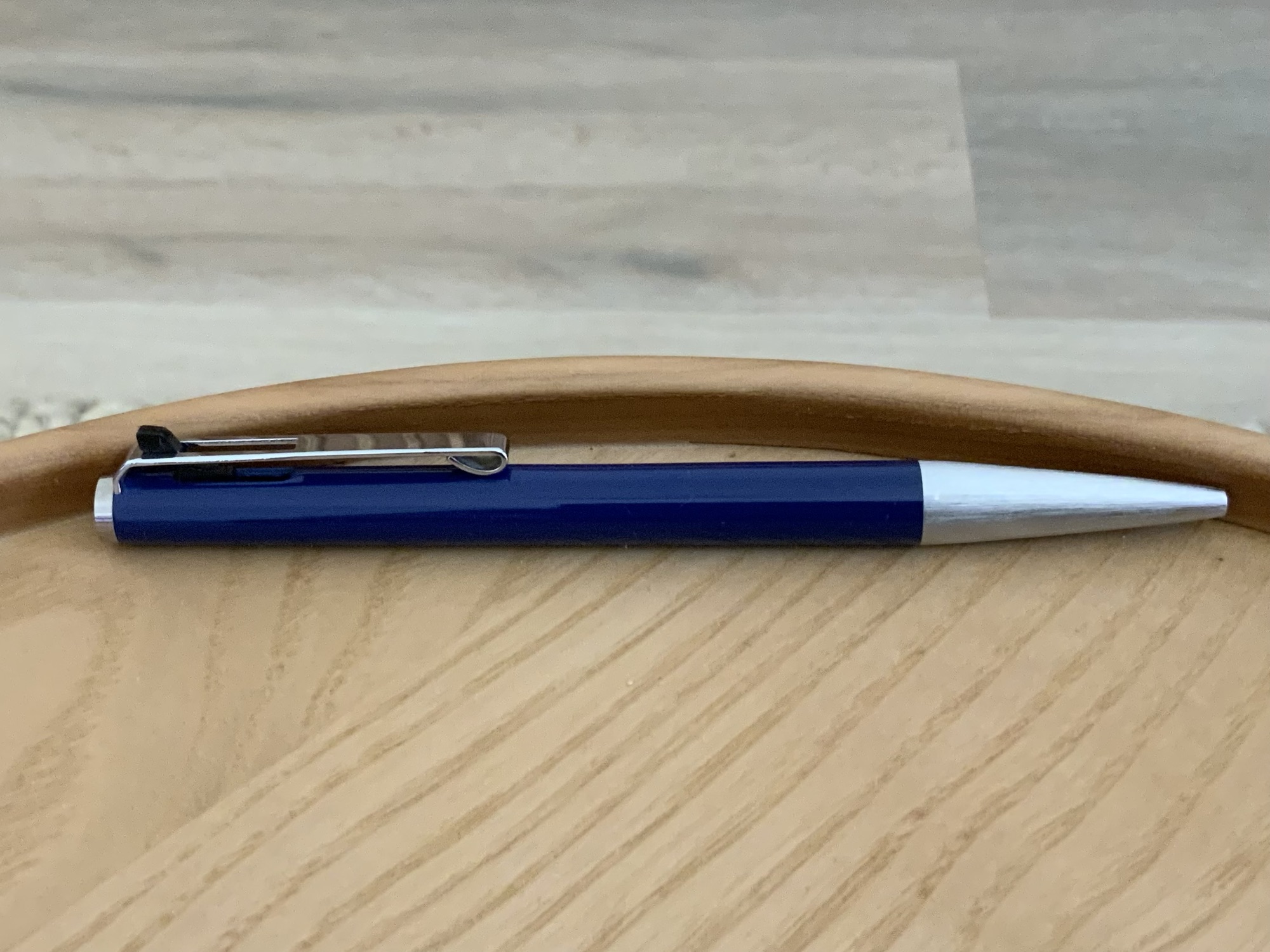
The Montblanc Ballpix – at the centre of all of this searching

I pay attention — honestly, I do. I even take notes, whether at the time or soon after, yet sometimes things come to pass where the elusive (though likely straightforward) name and model of a particular pen simply escapes me. In some cases it would seem, never to return. Of course, this is unlikely to ever happen when ordering pens online or shopping in a store (receipts, order confirmations etc), but for those acquired like this, or perhaps in an antique or second hand store, you might occasionally be in the same predicament.

When recently considering options for an EDC type of pen to carry with a pocket notebook, I had a few specific requirements, as you’d expect:

  • reliable knock mechanism unlikely to accidentally engage
  • related to the above, a standard top clicking pen would be unsuitable (if not a twist, some sort of side mounted knock mechanism)
  • very light and on the thinner side of average
  • probably a ballpoint for maximum utility

Thankfully, I wasted only an hour or so trawling the internet before realising the very pen was in my drawer awaiting its next occasion of use. It was absolutely spot on in terms of that list above, and not only that, is a really enjoyable pen to use.

Of course, I thought — that’s it! I’ll use this Montblanc… err… ummm… yes, this one(!?). What is it again? It was then I realised I had no idea what it was actually called, probably to the horror of the wonderful pen-friend who kindly passed it on to me. Had I written it down? Did I ever know it? Of course I would have — though I’m not sure, and proceeded to open Safari to get to the bottom of this quandary.

It couldn’t be that hard, surely, as I began searching: ”vintage Montblanc ballpoint with click mechanism in the pocket clip” and every version of a similar term to no avail. It might have been buried in the search results somewhere, but I certainly didn’t find it. In any event, it seemed a little more difficult than it should have been.

Enter the Camera Search function in the Google App on my iPhone.

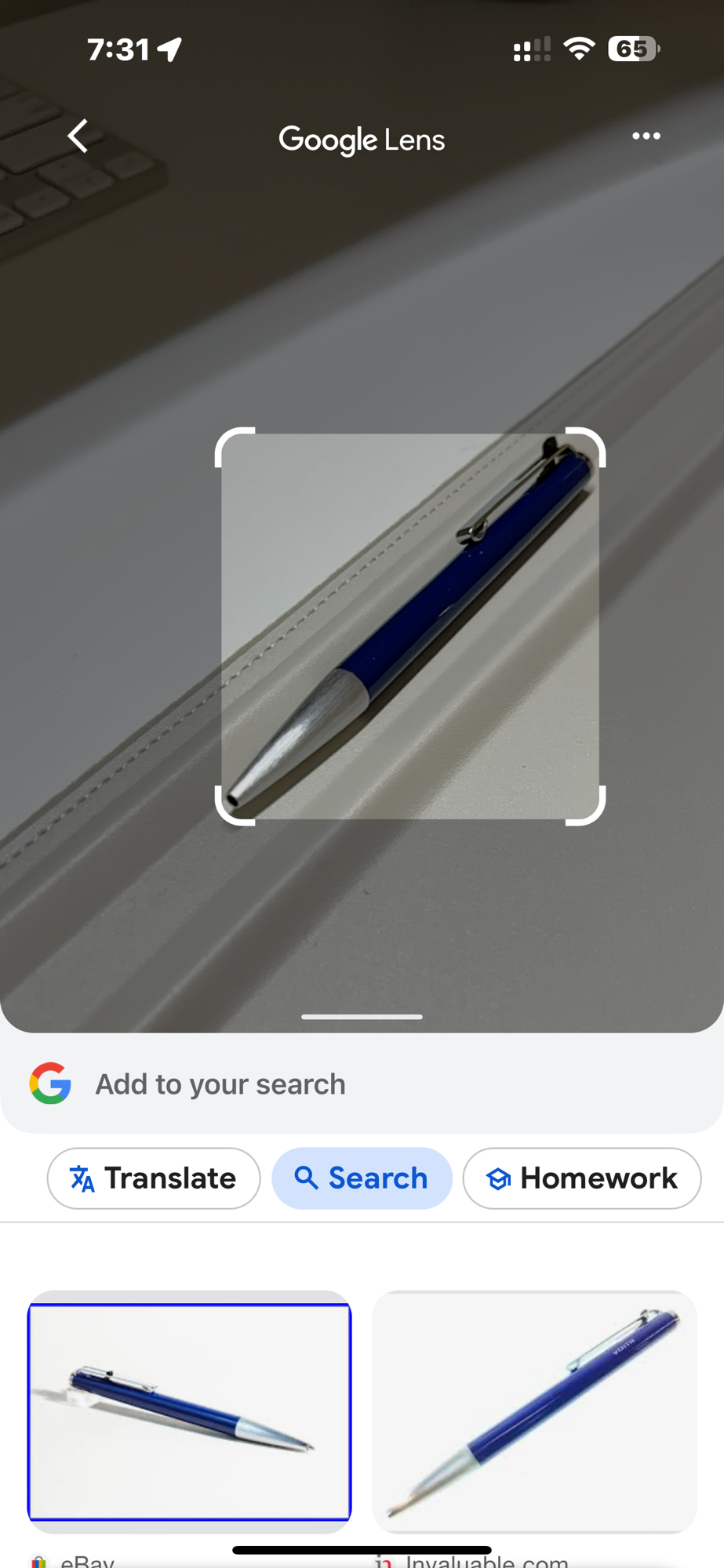
Point, shoot, search and bam! Results (see screenshots below). Nothing could be easier. I guess depending on what you are searching for, a certain amount of verification might be needed with the results. That said, I’ve not had it fail me so far on any pen, refill, or whatever stationery product you’d care to be looking up. The worlds of analogue and digital colliding with utmost harmony.
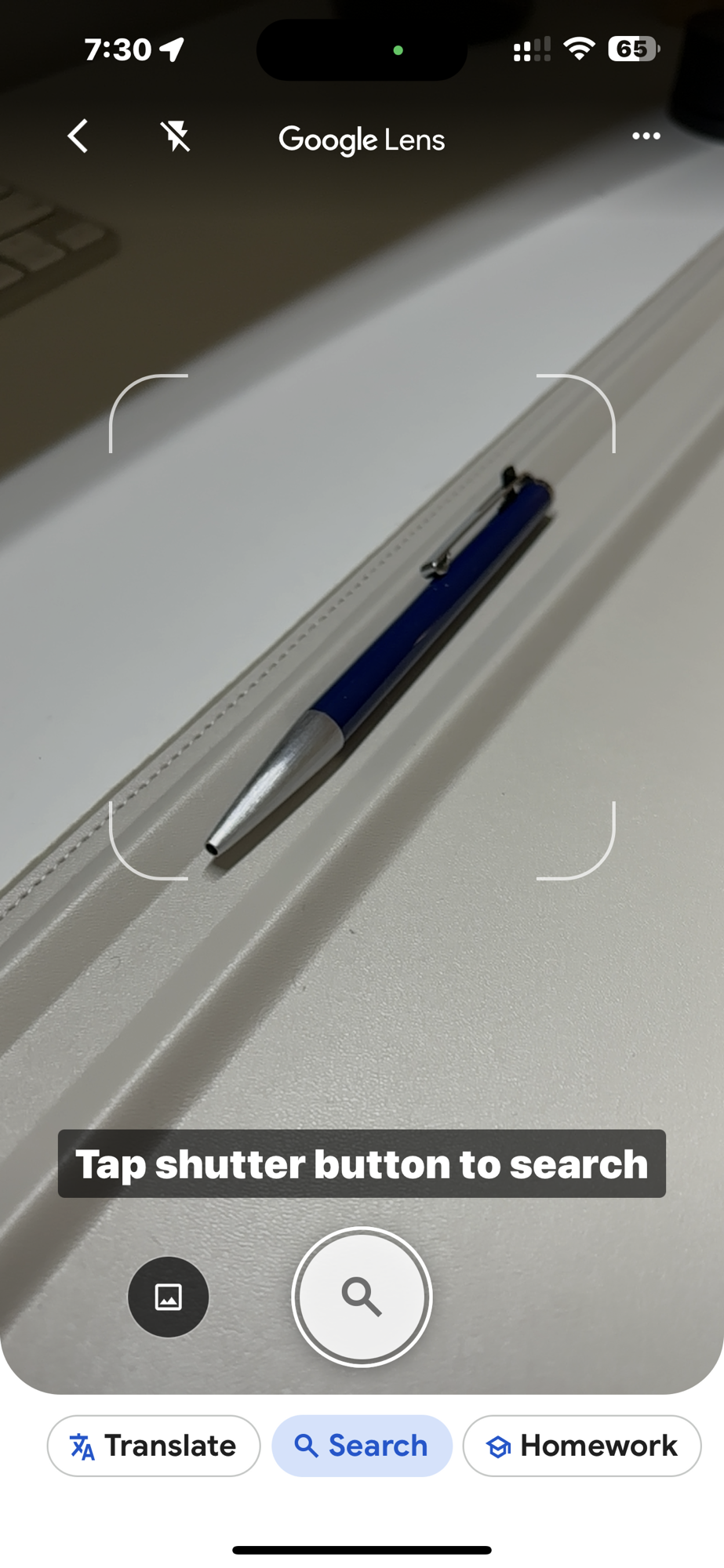
Ready… aim…
Fire…
A good bundle of accurate search results

Oh, and the pen? Yes, well, that is a Montblanc Ballpix, and the search yields a good page or more of accurate results similar to this one. As I’ve mentioned in my requirements list above, this pen is perfect for the task at hand. Slim, light weight, perfectly designed to avoid accidental engagement of the refill from the tip. Topping it off is the rather ingenious clip/knock mechanism, preventing it from being placed in a pocket or clipped anywhere without the knock being disengaged automatically — no pocket leaks here. Love it.

Perhaps given most of the search links provide seller links, someone needs to write a bit of a review just for posterity on the internet… Oh, right you are, I guess that would be me. I’ve just added it to the list.

Meanwhile, I highly recommend the camera search feature in the Google app for those times your search terms don’t quite hit the mark. Maybe even for those times when, like me, you are a bit lazy and can’t quite find the motivation to look back through notes when a pen model name escapes you.

A phone and a tech giant — handy companions to the humble pen and paper.

Analogue and digital: an equal partnership

Digital_analogue

I recently published a post on the merits of improving my handwriting or “penmanship”. This had the flow on effect of triggering some consideration about my note-taking in general, which commonly occurs in both digital and analogue (hand-written) forms.

Digital or Analogue – Why not just choose one?

Why not simply go all in with handwritten notebooks, a manual calendar or perhaps a Bullet Journal type system? I don’t believe this to be possible in the way I like to interact with my work, hobbies, thoughts, and just about everything I either enjoy, or am required to accomplish on a day-to-day basis. In reading that sentence over, more accurately, I choose not to work this way.

I’m sure if I wanted to, I could “go off the grid”, however I enjoy using my digital tools as much as I do my analogue ones, having put a good deal of effort into setting things up so they work well together, as I have seeking out great pens and notebooks. I believe the two can co-exist happily, complementing each other, rather than requiring isolation or resulting in duplication. Just the other day for example, working through a tutorial on the longer form writing Mac application Scrivener, it seemed appropriate to jot down the key points in my Field Notes Arts Edition.

If I am entirely honest, with so much more to learn, I would be pretty disappointed not to pursue greater integration and understanding of my technology, or ongoing expansion and evolution of my pen and paper collection.

Getting the Job Done

ShelterwoodFirst and foremost, the essence of any tool is that it does what you require of it. For note-taking, whether a list, outline, mindmap or draft blog post – it gets the job done with a minimum of friction. True, certain situations dictate only certain tools can be used. For example I cannot check the weather forecast or send a text message with pen and paper (or perhaps I can).

The first half of this very post was drafted on my iPad mini with Editorial, an app which constantly amazes me with its features and automation, though I probably use less than a quarter of them. The latter half of the post with pen on paper, upon which I had written:

…as I sit here in the pre-dawn lamp glow drafting this post in longhand, I cannot think of a more pleasant sound than the Pelikan nib gliding across this Rhodia paper.

Agreed. Probably a little more than simply getting the job done.

The Appeal?

Day_One_SS_1

Day One

Hardware design of both mobile devices and Macs is certainly important, however for most of us remains fairly stable over extended periods of time, and is something I probably take for granted. Thinking about why I enjoy my digital tools, it is generally in terms of the user interface and software features. The beautiful way Day One captures and presents moments in my life; the power of Drafts or nvALT in capturing and processing notes; the automation of Editorial; or elegant simplicity of Vesper.

My analogue tools? More deeply engrained in the senses. Sounds, textures, colours. The feel of blank paper and how this changes when full of words. The wear patterns of a Field Notes notebook by the time the last page rolls around. Once archived, the joy of page one in the next. The different weight and balance, finish or colour of a new pen. The sound of a pen across a page as it crafts a line with the purest ink.

Wrapping Up

The fundamental question for me, is whether or not there is joy, delight or inherent satisfaction in the way I interact with my surroundings or tools, be they analogue or digital.

In the tools I choose to use, the answer is yes, and applies equally to a powerful but beautifully designed iOS or Mac application, as it does an exquisitely honed fountain pen nib gliding across the finest paper.

Some have suggested with technology marching on (which I readily embrace), the death of the pen is nigh.

To those who know the truth? We just post the cap and write on. Smiling.